If you are looking for a chemical inventory template Excel file to start a HazCom 2024 list, HazCom 2024 update has one built in. It is not a general inventory form. It is the exact workbook the module's import reads, with the module's own column headings in the first row and two filled-in example rows below them. Download it, replace the examples with your products, and upload it again: the columns match without any mapping. This page shows what is in the template, how to fill each column, and what the file cannot hold. You can download the template inside the module as soon as your company is set up.
Import · hazcom-2024-import-template.xlsx
The import template: the module's own columns, ready to fill
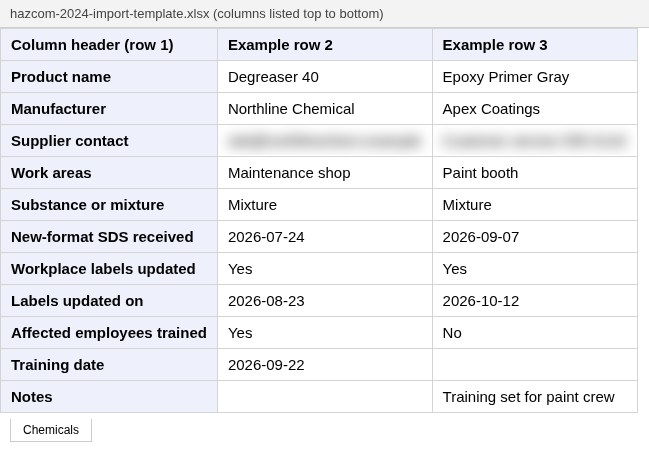
One sheet named Chemicals, eleven columns, two example rows. It comes from the Import dialog or the More options menu.
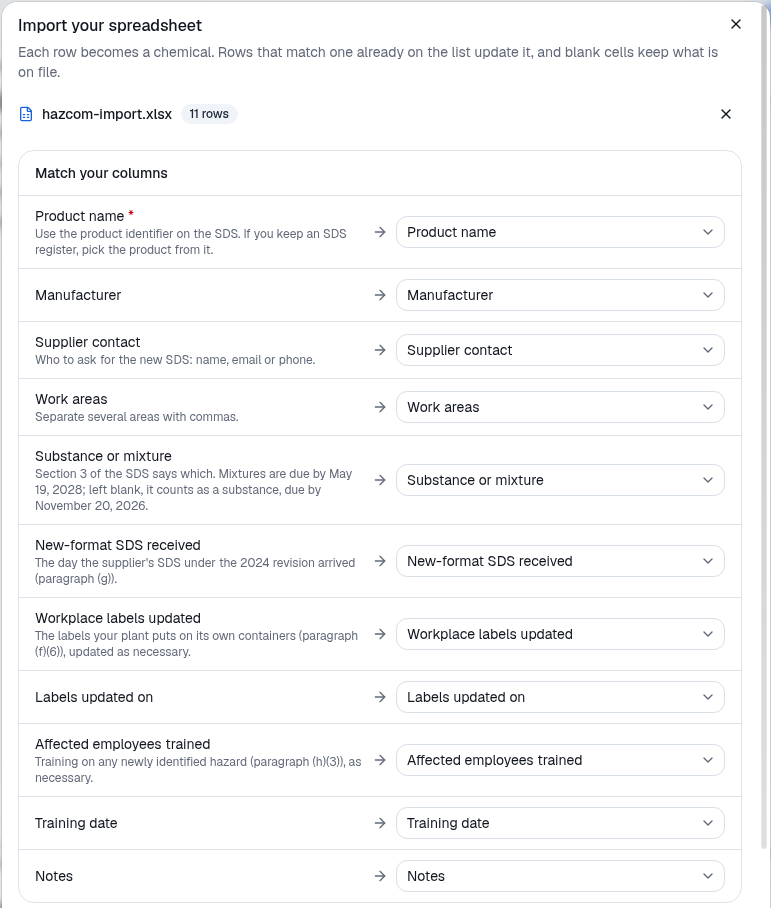
The eleven columns and how to fill them
These are the headings in row 1 of the downloaded template, in order.
The example rows use the module's fictional sample chemicals, and their dates are set relative to the day you download the file.
Start a clean chemical list from the template
Fill one row per product and upload it; the module works out each chemical's status.
What the downloaded file looks like
Below is the template as downloaded from the portal, turned on its side, header names running down the left, so all eleven columns are readable.
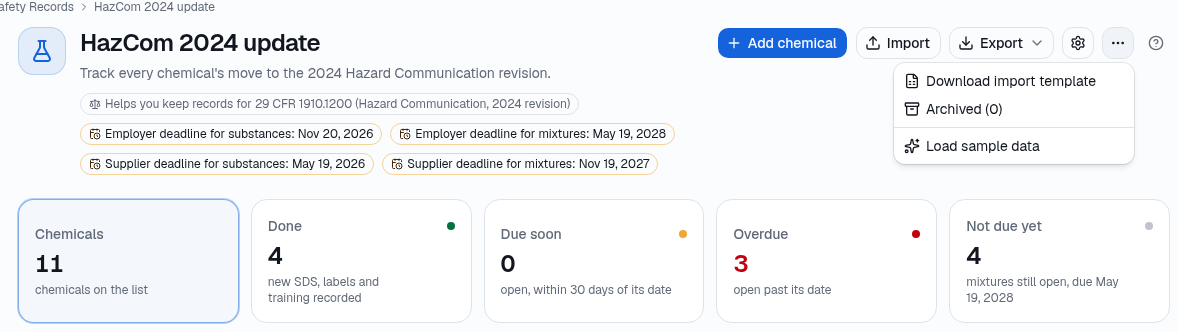
Two places to get it
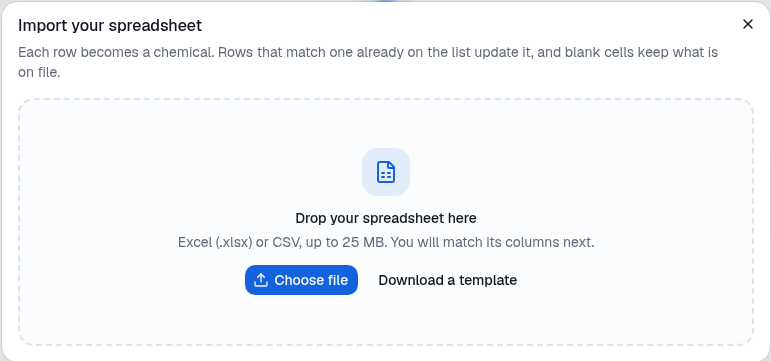
The Import dialog links to the file, and the More options menu offers the same download.
Delete the examples
Remove the two example rows before you upload. They are ordinary rows in the file, so leaving them in would add two fictional chemicals to your list.
Same file, again later
Re-uploading a row with the same product and manufacturer updates it instead of adding a duplicate.
From blank template to tracked list
Download
Open Import and choose Download a template. The file is named hazcom-2024-import-template.xlsx.
Fill one row per product
Copy product names exactly as they appear on each SDS. Leave step columns blank where nothing is done yet.
Upload
Choose the file in the Import dialog. The headings already match, so the column check is quick.
Read the result
The import ends with counts of New, Updated and Skipped rows; a skipped row comes with its reason.
Do you need the template at all?
Often not. The import recognises many common headings, such as Trade name, Vendor or Relabeled, and lets you match the rest once. If your team already keeps a chemical list in Excel, importing that file is usually quicker than copying it into the template. The template earns its place in two cases: when there is no list yet, and when the existing one is so irregular that starting clean is faster than mapping it.
A file can hold up to 5,000 rows and 25 MB. A cell the import cannot read, such as text in a date column, is reported as an error for that row rather than left blank without warning.
Keep product names as on the SDS
The Product name field asks for the product identifier on the SDS. Matching it now makes the chemical list check much easier later.
What the template does not include
It mirrors the module's fields, so anything the module does not track is not in the file.
No CAS column
There is no CAS number field. Put it in Notes or in the product name if you need it.
No hazard classes
No pictograms, hazard statements or classifications; those are on the SDS.
Not a program template
It is an import file for this tracker, not a written HazCom program template.
Frequently asked questions
Is the template free?
It is part of the module, available during the 14-day free trial and on the plans that include it.
Can I upload a CSV instead of .xlsx?
Yes. The Import dialog accepts .xlsx or .csv files.
What if my columns have different names?
Match them once during import; the chemical inventory import page shows the mapping step.
Can I get my list back out in the same shape?
Export CSV for Excel gives the same eleven columns plus Due by, Status and Details; see export chemical inventory CSV.
Should I leave Substance or mixture blank?
Better not. Blank counts as a substance, which is now overdue if any step is open. Section 3 of the SDS says which it is.
Fill the template, upload it, start tracking
Use the module's own workbook when you have no list or a messy one, and skip the mapping step entirely.
- Eleven columns that match the import
- Two example rows to copy from
- Up to 5,000 rows per file
14-day free trial · no card needed