Your chemical inventory is the fastest way to start the HazCom 2024 update. Most plants already keep a chemical list in Excel, an SDS binder index or an export from an EHS system. HazCom 2024 update, the iFactory module for 29 CFR 1910.1200, starts from that file. Choose Import, pick an .xlsx or .csv file, match the columns once and check the preview. Up to 5,000 rows are read, and every product lands with its HazCom 2024 status. You can import your chemical inventory on a 14-day free trial.
HazCom 2024 update · Import · Excel or CSV
Your chemical inventory spreadsheet, imported in one pass
Each row becomes a chemical. Rows that match one already on the list update it, and blank cells keep what is on file. When it finishes you see how many were new, updated and skipped.
The columns the chemical inventory import recognises
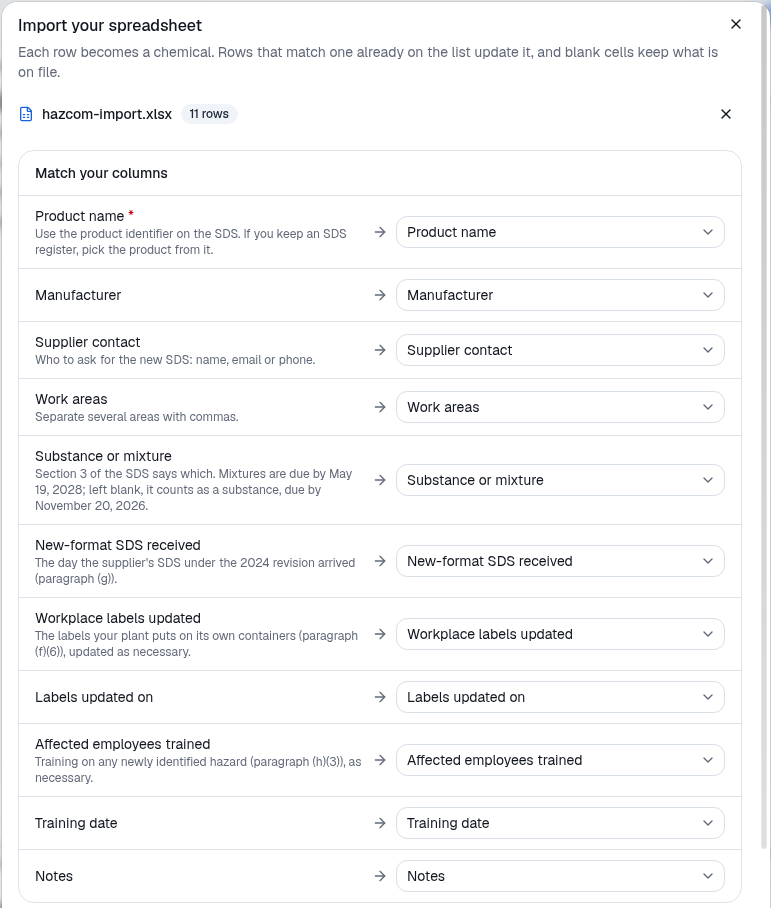
You match each column once in the Match your columns step. Common header names are suggested for you. These are the fields and some of the headers each one recognises.
Header names from the module's field definitions. Notes can be imported too, for example a CAS number or an owner.
How to import a chemical inventory
Start from your own file, or the template
Export your list from Excel, the SDS binder index or your EHS system. If you are starting fresh, choose Download a template in the import dialog, or Download import template under More options.
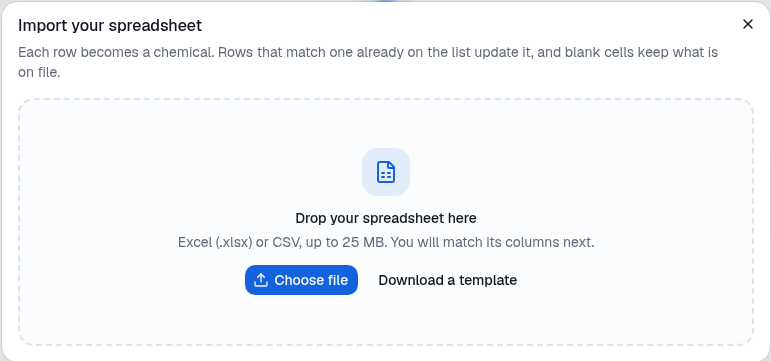
Choose Import, then Choose file
The dialog reads "Import your spreadsheet" and takes an Excel (.xlsx) or CSV file up to 25 MB.
Match your columns and preview
Pick the column for each field, leave out what you do not track, and check the preview before anything is saved.
Read the result
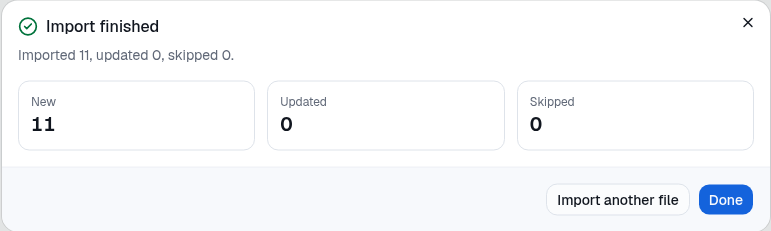
Import finished shows the counts, for example "Imported 11, updated 0, skipped 0", with the reason for any skipped row.
Work the list
Each chemical now has a Due by date and a status. Record the steps as they happen with Update progress.
Bring the list you already keep
No retyping. Upload the spreadsheet, match the columns once and see each chemical's status.
Rules the import follows
The import does not guess. A value it cannot read is reported, not saved as a blank.
Re-import updates, not duplicates
A row with the same product name and manufacturer as a chemical on the list updates it. Import the same file again and nothing is doubled.
Blank cells keep what is on file
An empty cell leaves the saved value alone, so a partial sheet can top up existing records. Fully blank rows are counted and passed over.
Unreadable values are skipped with a reason
A row is skipped with messages such as "is not a date" or "is not yes or no", naming the field and the value.
Duplicates inside one file
If two rows are the same chemical, the second is skipped with "Same chemical as row" and the row number.
After the import
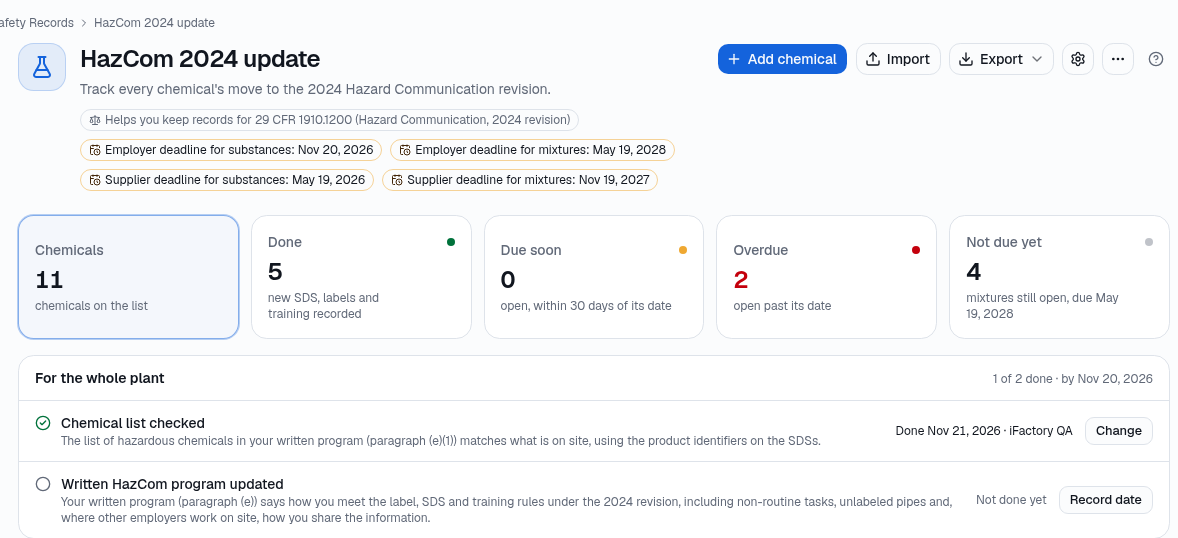
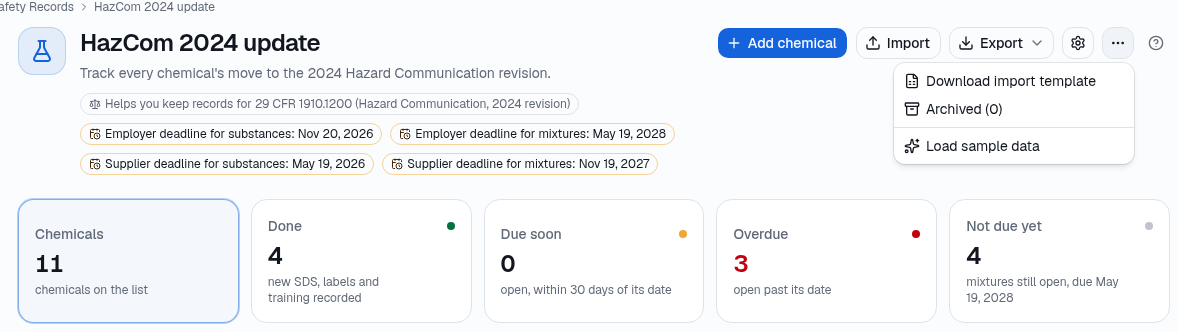
The result screen splits the rows into New, Updated and Skipped. Then the overview counts every chemical as Done, Due soon, Overdue or Not due yet.
Due by from Substance or mixture
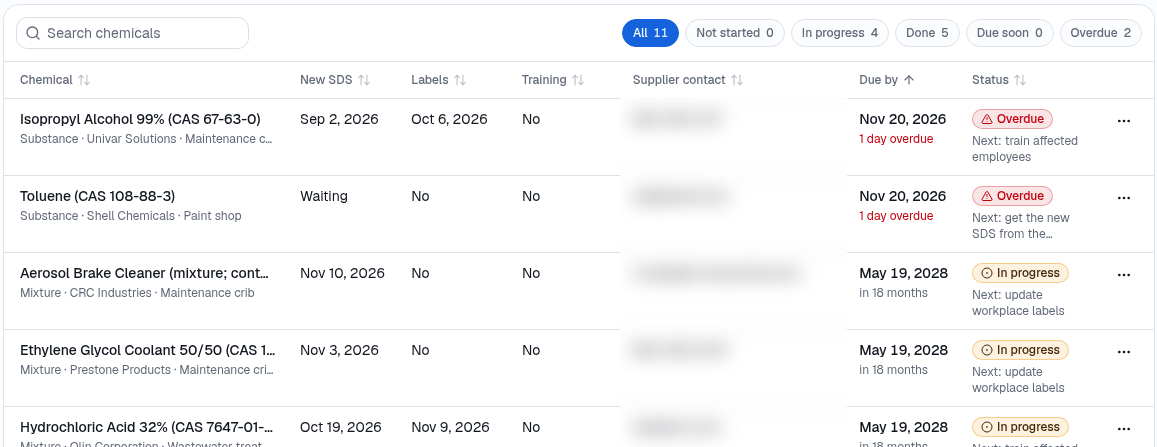
Substances are due by November 20, 2026, a date that has passed, so open ones show Overdue. Mixtures are due by May 19, 2028.
Next step on every row
The table shows hints such as "Next: get the new SDS from the supplier" beside the supplier contact.
History from the next change
Bulk-imported records show their History from the next change, with who made it and when.
Check these before you upload
A few minutes on the sheet saves skipped rows later.
Use the SDS product identifier
Name each product as it appears on its SDS, and fill in the manufacturer, so a later import updates the right chemical.
Fill in Substance or mixture
Left blank, a product counts as a substance and is due by November 20, 2026. Section 3 of the SDS says which it is.
Keep sample data separate
Load sample data, under More options, is for trying the module. Do not mix it with your real chemical list.
Frequently asked questions
What file types can I import?
An Excel (.xlsx) or CSV file, up to 25 MB. Up to 5,000 rows are read in one import.
Can I import from our SDS binder index or EHS system?
Yes. Export it to Excel or CSV, upload it and match the columns once. Product, manufacturer, supplier contact and work area are picked up, and the three steps start at not done unless your file has them.
What if I import the same list twice?
Rows with the same product name and manufacturer update the chemical already on the list, so nothing is duplicated.
Is there a chemical inventory template?
Yes. Choose Download a template in the import dialog, or Download import template under More options.
What happens after the import?
Each chemical gets its Due by date and status. See how the hazard communication software tracks the three steps, or start the free trial with your own list.
Start from the chemical list you already have
Upload it once and see which chemicals are done, overdue or not due yet for HazCom 2024.
- Excel (.xlsx) or CSV, up to 5,000 rows
- Re-imports update, blank cells keep what is on file
- New, updated and skipped counts, with reasons
Free for 14 days · no card needed