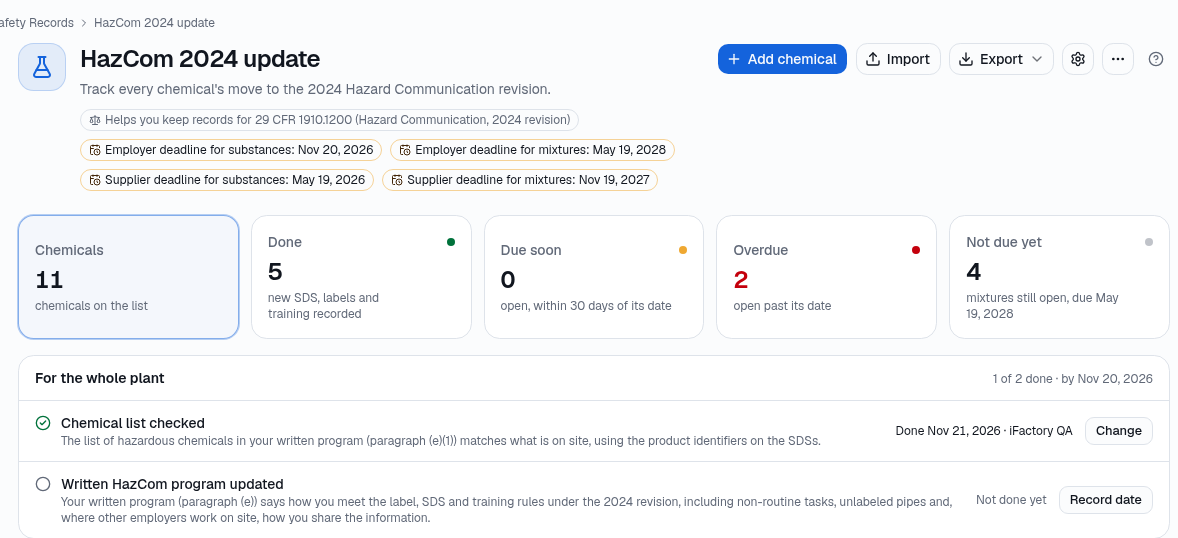
Chemical safety software for the HazCom 2024 update is easy to compare once you write down what you need it to prove. Most EHS teams need the same few things: a dated record per chemical, the right employer date for substances and mixtures, a way in for the list they already keep, and a file they can hand to an auditor. Below are ten questions to put to any tool, including ours. For each one we say what HazCom 2024 update, the iFactory module for 29 CFR 1910.1200, does today, and where the answer is no. You can try the module on your own list and check each answer yourself.
Buyer checklist · HazCom 2024 · 29 CFR 1910.1200
Ten questions to ask before you choose a HazCom tool
Use them in a demo, a trial or a vendor call. Ask to see each answer on screen, not on a slide.
The checklist, with our answers
Each answer below is based on what the module does in the portal today. Where it does not do something, we say so.
Two more worth asking any vendor: whether pricing is listed openly, and whether the product claims to make you "compliant". Software can keep records; it cannot certify compliance.
Check every answer on your own data
Import your chemical list during the trial and walk through the ten questions on screen.
Proof points to ask for in a demo
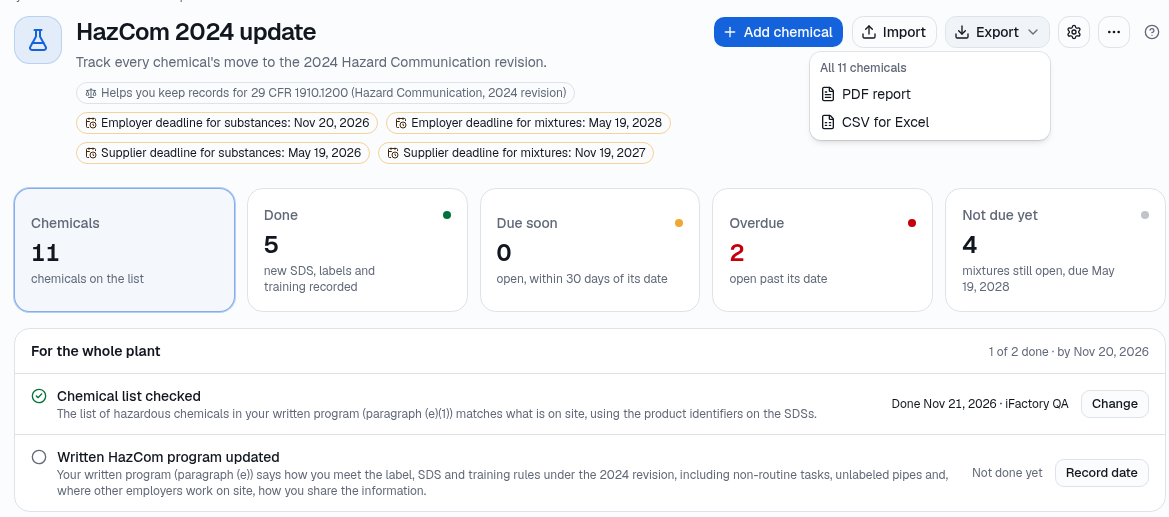
A good demo shows the record, not a slide about it. These are the screens to ask for in any HazCom tool, and what they look like in ours.
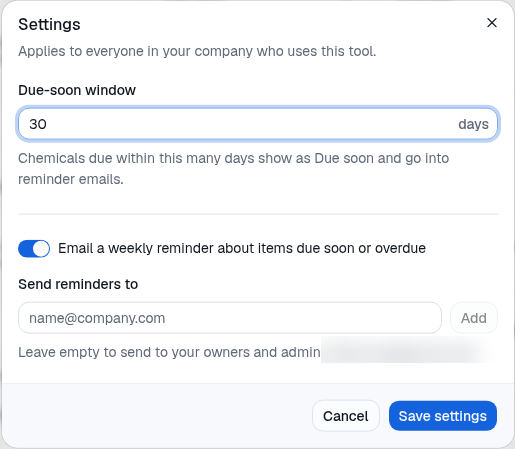
Reminder settings
The due-soon window defaults to 30 days. Leave recipients empty to send to owners and admins, or add addresses.
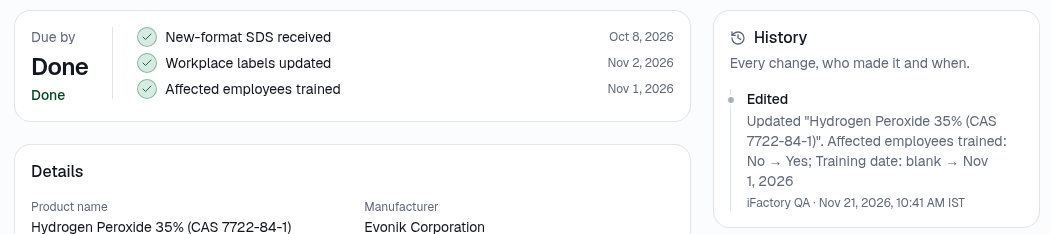
Change history
Open any chemical and read its History: the field that changed, from what, to what, by whom.
The export
Ask for the PDF itself. Ours carries the status counts, the plant steps and every chemical's dates.
How to run the checklist in a trial
Pick a sample of real chemicals
Include substances and mixtures, and a few that still have no new SDS.
Import them
Use your own column headers and see what is matched and what is skipped.
Record a few steps
Add an SDS date, a label date and a training date, then open History.
Export and read the PDF
Decide whether you would hand it to an auditor as it is.
Where HazCom 2024 update is not the right fit
Better to know now than after you buy.
You need an SDS library
This module tracks the 2024 update. Use the SDS register module, or your SDS system, for the sheets themselves.
You need label printing
It records label updates. It has no label designer or printer connection.
You need integrations
There is no ERP, purchasing, LMS or supplier-portal connection. Data moves by import and export.
Frequently asked questions
Is this list only for iFactory?
No. The ten questions work for any HazCom software. We answered them for our module so you have a worked example.
Does any software make us HazCom compliant?
No tool can do that for you. Software can keep dated records of the work; the work itself, and the judgment, stay with your team.
How is HazCom 2024 update priced?
It is part of OSHA Safety Records and listed as included in Pro and Agentic. See the HazCom tracker plans page for how plans work.
What does the overview look like with real numbers?
Five cards count Chemicals, Done, Due soon, Overdue and Not due yet. The HazCom dashboard page explains each one.
Put the ten questions to the test
Load your own chemicals, record a few steps and export the PDF. Then decide.
- Dated SDS, label and training steps
- Substance and mixture dates set for you
- PDF, CSV and a full change history
14-day free trial · no card needed