A HazCom software free trial should let you answer one question before you pay: does this tool fit the way your plant tracks chemicals? Every new company in the iFactory portal starts with a 14-day free trial, and no card is needed. In those 14 days you can open HazCom 2024 update, the module for the 2024 revision of 29 CFR 1910.1200, load sample data or your own chemicals, record the new SDS, label and training dates, and export the status PDF. You can start the 14-day trial here; this page walks through a sensible way to use it.
Free trial · 14 days · no card
Fourteen days to test the tracker on real chemicals
Start from sample data to see how it works, or import the list you keep today. Choose a plan on any day of the trial, or let it end and keep your data read-only.
A 14-day plan for the trial
You do not need all 14 days. Most of the checks below fit into a few short sessions.
Day 1: look around with sample data
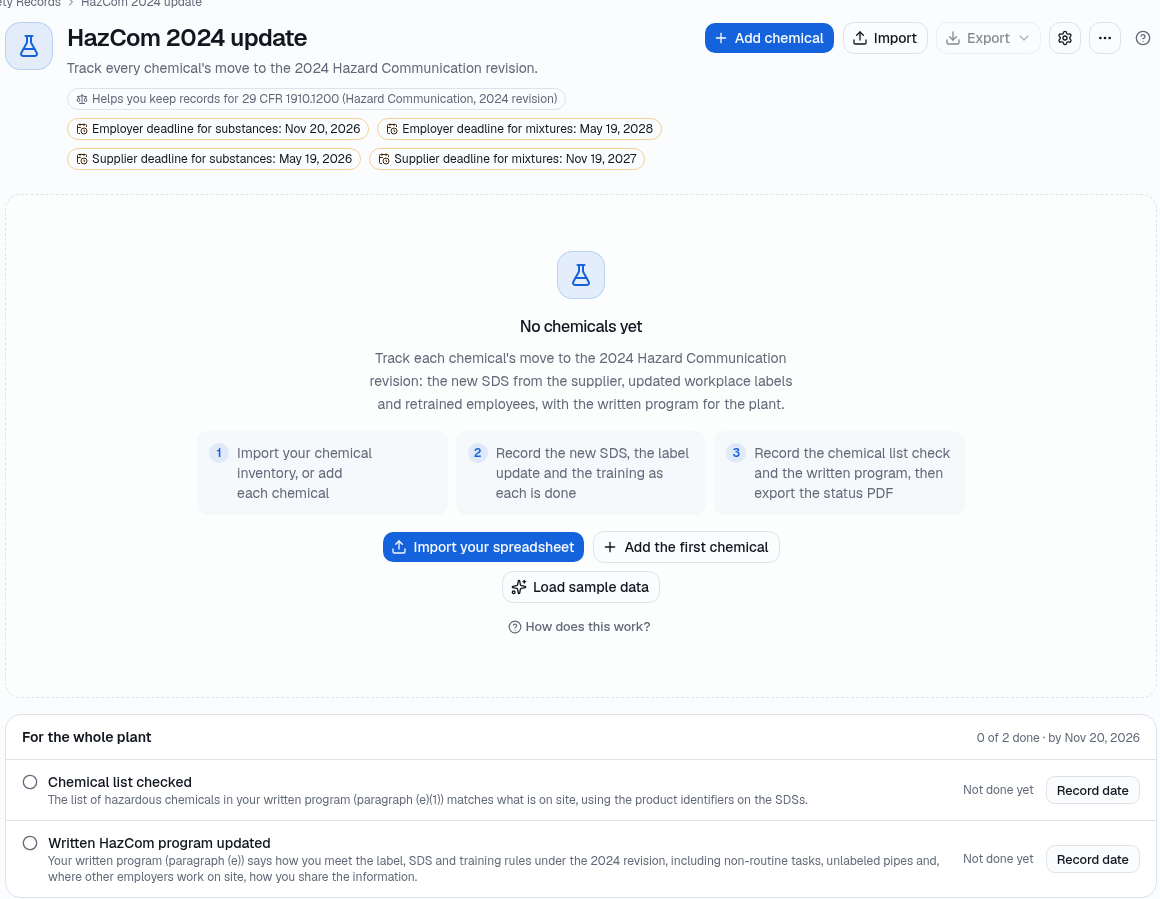
On the empty screen choose Load sample data. A set of fictional chemicals fills the table and the status cards, so you see a working list in seconds.
Days 2 to 3: bring in your own chemicals
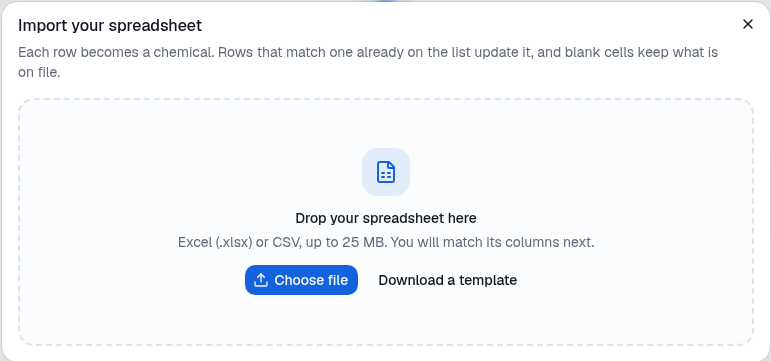
Choose Import and upload an Excel or CSV file, then match its columns once. The chemical inventory import page explains what each column becomes.
Days 4 to 7: record real steps
For a few products, add the new SDS date, tick the label update and record training. Watch the next hint and the status change.
Days 8 to 10: record the plant steps
In the For the whole plant card, choose Record date next to each plant step and pick the day it was finished.
Days 11 to 14: export and decide
Export the PDF report and the CSV, show them to whoever signs off, then choose a plan or let the trial end.
Start with sample data, finish with your own list
The first screen offers Import your spreadsheet, Add the first chemical and Load sample data.
What the trial includes
The trial is the HazCom module as it runs in the portal, inside OSHA Safety Records.
Three dated steps per chemical
New-format SDS received, Workplace labels updated with Labels updated on, and Affected employees trained with Training date.
Employer dates set for you
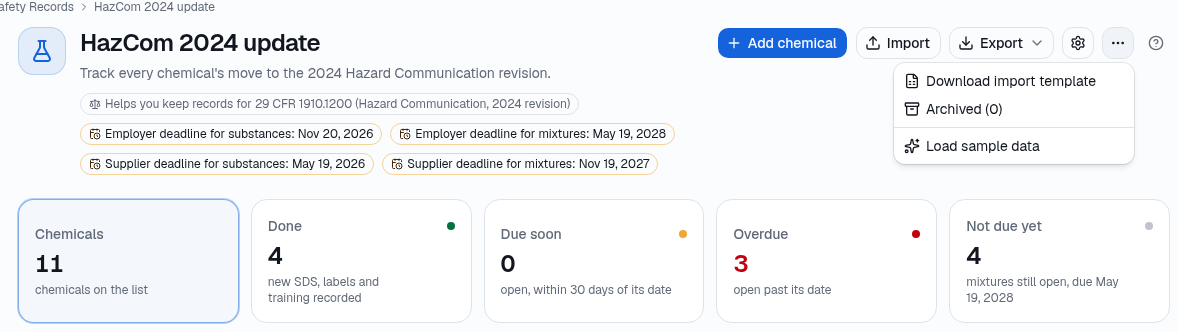
Substances are due by November 20, 2026, which has passed, so open substances read Overdue. Mixtures are due by May 19, 2028.
Status cards and filters
Chemicals, Done, Due soon, Overdue and Not due yet, each one a filter on the table.
PDF and CSV export
A status PDF for the EHS file and a CSV for Excel, built from the list on screen.
Sample data, kept apart from your records
Sample rows are there to learn on. The module treats them differently from your own chemicals, so a trial does not leave fake records behind.
Marked in the PDF
A report built from sample rows says so. Once your own chemicals are in, reports use only them.
Never emailed
Reminder emails skip sample rows, so test data does not reach anyone's inbox.
Download a template
More options also offers an import template, if you would rather start from a clean sheet.

Questions to answer before day 14
A trial is only useful if it ends with a decision. Write down three questions on day one and answer them by the end. Does the import read our file without retyping? Does the status PDF give our auditor or plant manager what they ask for? Will the people who relabel containers and run training actually record their dates here? If the answers are yes, choose a plan. If not, you have lost nothing; the data stays, read-only.
Keep test and real data apart
Look around with sample data first, then remove it from the More options menu before you import your own chemicals.
Good to know before you start
A trial works best when the limits are clear up front.
One user in the trial
The trial is set up for a single user. Plan a shared review session rather than inviting the whole team.
Read-only afterwards
If the trial ends without a plan, nothing is deleted; the workspace becomes read-only.
Not an SDS library
The module records the date each new SDS arrived. It does not store or read the sheets.
Frequently asked questions
How long is the free trial?
14 days, starting when your company signs up.
Do I need a credit card?
No. The trial starts without a card.
Can I buy before the trial ends?
Yes. Choose Pro or Agentic on any day of the trial and the plan starts at once. The HazCom tracker plans page explains how plans work.
What happens to my data after the trial?
It is kept. Without a plan the workspace turns read-only instead of being deleted.
Can I remove the sample data later?
Yes. The portal says you can remove them any time from the More options (⋯) menu. Until then they are flagged as samples and kept out of reminder emails.
Which features are in the trial?
According to iFactory's tool page, the trial gives you 14 days of Pro features, and the HazCom 2024 update module is part of it.
Will the trial send reminder emails?
Yes, for your own chemicals that are due soon or overdue, once your company's owner or admin email is confirmed. Sample rows are never emailed.
Start your 14 days today
Load sample data in a minute, import your own chemicals when you are ready, and export the status PDF before the trial ends.
- 14-day free trial, no card
- Sample data or your own list
- Plan starts the day you choose it
Your data is kept if you stop