EHS software data security questions usually come down to three things: who can see our records, who can change them, and how we would know if they did. This page answers those for HazCom 2024 update using only what iFactory's tool page states and what the module's code and screens show. It does not list certifications or hosting commitments, because none are stated for the module; for those, ask iFactory directly. What it does cover is how company records are kept apart, which roles can do what, how every change is logged, and where reminder emails can go. You can check these controls in your own trial before you load real data.
Access · audit log · reminder recipients
Your company's records, seen by your company, with every change logged
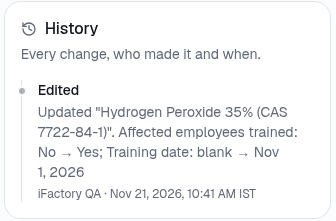
The tool page answers "Who can see our records?" in two sentences: only people in your company; each company's records are kept separate, and every change is logged.
How records are kept apart
iFactory's engineering rules, which the module's code follows, set out how company data is separated.
The same rules say logs never contain passwords, tokens or file contents, and that no secrets are kept in code or logs.
Try the module with sample data first
Load fictional chemicals, look at the History and the settings, then decide on your real list.
What is written to the audit log
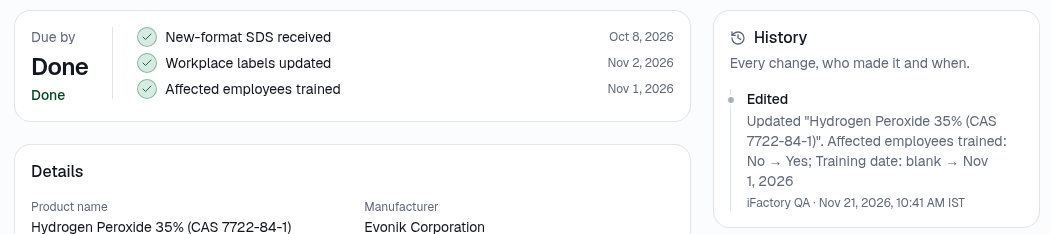
The rules say every change a customer makes is audited. In the module that covers these actions, each with who did it.
Chemical changes
Creating, editing, archiving, restoring and deleting a chemical, and removing a file from one.
Sample data
Loading and removing sample data, with the number of records.
Exports
Every PDF and CSV export, with how many chemicals and the filter used.
Who can do what
The module keeps a few actions for senior roles. Everything else is open to anyone in your company who uses it.
Record the plant steps
Owners and admins. Others see "An owner or admin records these."
Load or remove sample data
Managers and above; anyone below is refused before anything is read.
Reminder list
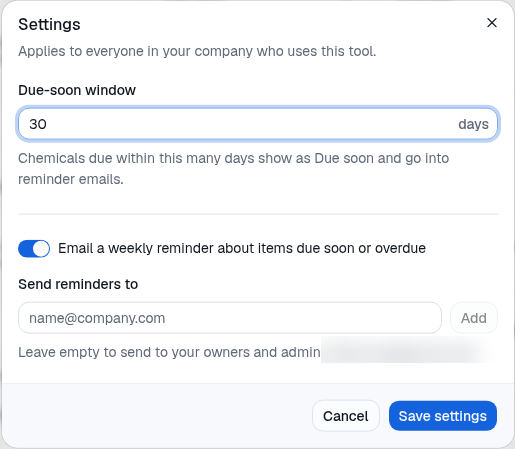
Owners and admins change the list in Settings, according to the reminder email itself.
Record chemical steps
People in your company who use the module, with each change in History.
Where reminder emails can go
Reminder emails are the one place the module sends company data outside the portal, so they have their own guard. The weekly digest goes only to the addresses your company typed into Send reminders to, up to ten, or to your owners and admins when that list is empty. Before any digest is sent it must pass a mail guard: the company needs a confirmed owner or admin email, and there is a daily cap per company. A digest held by the guard is not marked as sent, so it goes out once the company is confirmed. Sample records are never mailed.
Each email says why the recipient is getting it, for example that they are on the tracker's reminder list and that owners and admins change the list in Settings, and each chemical appears at most once a week.
What this page does not claim
Security pages lose trust when they overreach. These items are not stated for the module, so they are not claimed here.
No vendor attestations
Third-party security reports on iFactory as a vendor are outside this page; request them from iFactory.
No contract terms
Data processing terms, retention periods and hosting details are for your iFactory contact.
No per-field permissions
Roles limit a few actions; there are no field-level access rules.
Frequently asked questions
Can another company see our chemical list?
No. Per the tool page, only people in your company can, and each company's records are kept separate.
Does archiving delete history?
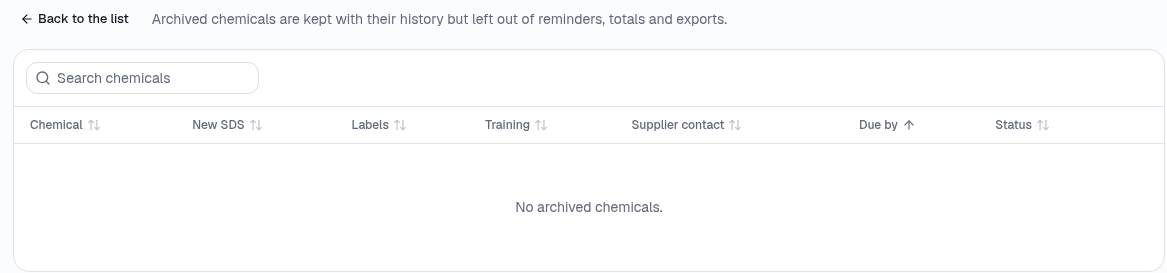
No. An archived chemical keeps its full change trail; it simply stops appearing in reminder emails, totals and exports.
What happens to our data when the trial ends?
The workspace becomes read-only and your data is kept; see the HazCom software free trial page.
Are export files cached?
Export downloads are sent marked private and not to be stored by caches. The file you save is yours to keep safe.
Does the module pass our data to other systems?
The HazCom module's code has no links to outside systems such as an ERP, a training system or an SDS vendor. It works with spreadsheet import and export, PDF and email.
What does Delete remove?
The chemical and any files attached to it. The deletion itself is written to the audit log; use Archive instead when you want to keep the history. See how the chemical tracking list row menu works.
Know who saw and changed your chemical records
Company-only access, a logged change trail and a guarded reminder email, as the module stands today.
- Records scoped to your company
- History on every chemical
- Exports and sample loads logged
14-day free trial · no card needed