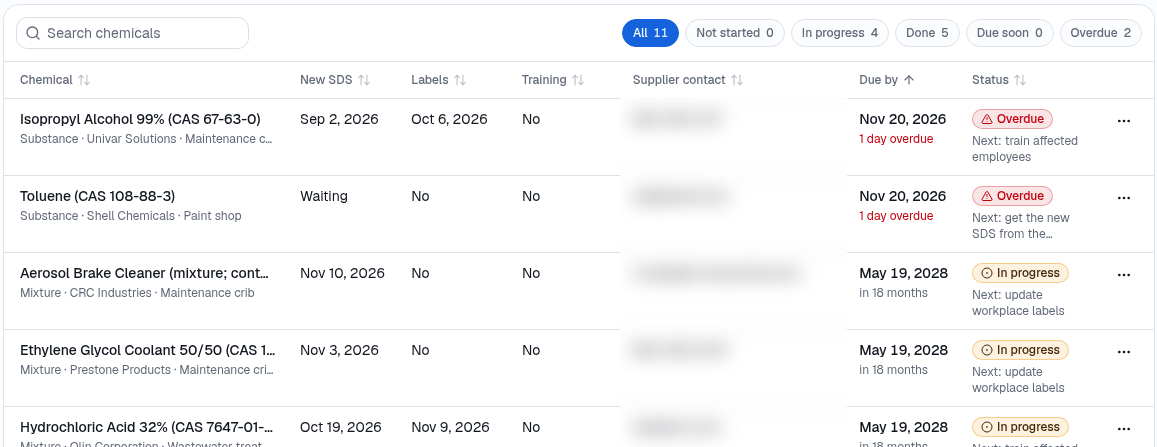
An updated SDS 2024 version is the first thing every chemical needs before anything else in your plant can change. Under the 2024 revision of 29 CFR 1910.1200, chemical manufacturers, importers and distributors reclassify their products and issue new safety data sheets; your labels, written program and training follow from what those sheets say. HazCom 2024 update, the iFactory module for the revision, starts each chemical with one step: New-format SDS received, the date the supplier's new sheet arrived. Until that date is in, the row reads "Waiting". You can record each new-format SDS as it lands and see at once which products are still waiting.
Step 1 of 3 per chemical · paragraph (g)
The day each new-format SDS arrived, on every chemical
One past-only date per product. The New SDS column shows it, or "Waiting" if the sheet has not come in, and the row's next step stays on the supplier until it does.
Supplier dates and employer dates for the new SDS
Suppliers had their own dates to issue 2024-format sheets. Employers then had more time to act on them. OSHA moved all four dates four months later in January 2026 (91 FR 1695).
Dates from 29 CFR 1910.1200(j), final rule of May 20, 2024 (89 FR 44144), as amended on January 15, 2026 (91 FR 1695). Until the date that applies, paragraph (j)(4) allows the 2024 revision, the prior standard, or both.
How the New SDS step behaves
The step is deliberately simple, so it is quick to keep current.
One date, past only
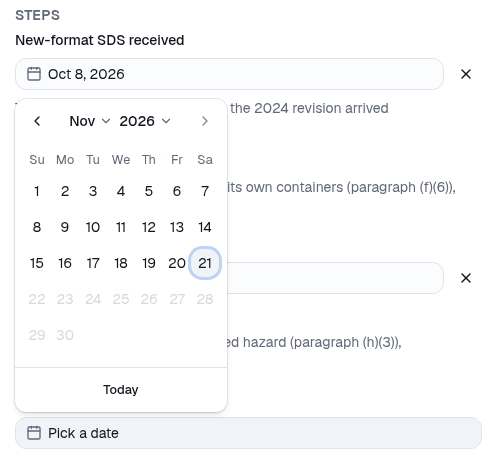
The date picker greys out future days. The record says when a sheet arrived, never when one is expected.
"Waiting" until it lands
The New SDS column reads "Waiting" with no date, and the row's next step is "get the new SDS from the supplier".
Moves the hint on
Once the date is in, the next step becomes "update workplace labels", then training.
Picked up on import
Spreadsheet headers such as "SDS received", "New SDS date", "Updated SDS" or "2024 SDS received" are matched to this field.
Know which updated SDSs you still do not have
Import your chemical list and every product without a new SDS date reads "Waiting".
Recording an updated SDS
Check it is the 2024-format sheet
Read the revision on the SDS itself. The module stores your date; it does not open or check the sheet.
Open the chemical and choose Update progress
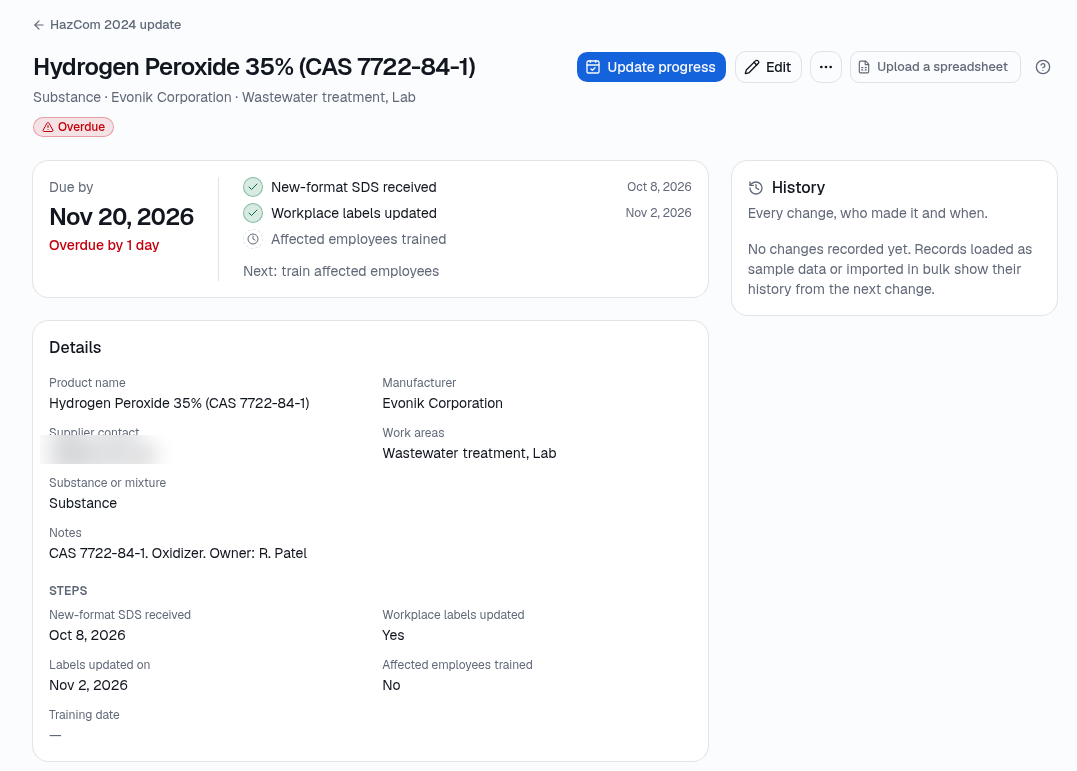
The form opens with the three steps under Steps.
Pick the date under New-format SDS received
Use the day the sheet arrived. Today is the latest date you can pick.
Save, then file the SDS
Save changes, then put the sheet where employees can reach it on every shift, in your SDS binder or SDS system.
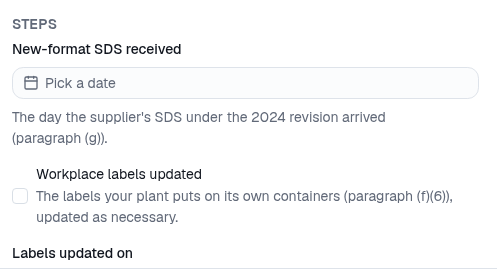
The step in the chemical form
New-format SDS received is the first field under Steps, with its help text: the day the supplier's SDS under the 2024 revision arrived, paragraph (g).
Product identifier first
The product name help text asks for the identifier on the SDS, so the record matches the sheet.
Supplier contact beside it
Who to ask for the new SDS: a name, email or phone, kept on the same record.
History of the date
Change the date later and History shows the old value, the new one, who and when.
What the SDS step does not do
It is a receipt date, not an SDS system.
No SDS file storage
Keep the sheets in your SDS system or in iFactory's separate SDS register module.
No content check
There is no reading of SDS sections or hazard classes. Whether a sheet is the 2024 version is your call.
No supplier emails
It does not contact suppliers. It shows who to ask and what is still missing.
Frequently asked questions
What counts as an updated SDS 2024 version?
A safety data sheet the supplier issued under the 2024 revision of the Hazard Communication Standard. Check the sheet's revision information before you record the date.
A supplier has not sent the new SDS. What now?
Leave the date blank so the row stays "Waiting", and note each follow-up in Notes. The supplier SDS chase list page shows how to work those rows.
Can I load many SDS dates at once?
Yes. Put them in a column of your spreadsheet and import it; a column such as "New SDS date" is matched to this field.
Is a new SDS enough to finish a chemical?
No. A chemical is Done once its new SDS, its workplace label update and its training are all recorded.
What if the new SDS shows no new hazards?
Record the arrival date anyway. Then review it for the label and training steps; if nothing changed, note your decision in Notes, since there is no "not needed" option.
Does the step work the same for mixtures?
Yes. The field is the same; only the Due by date differs. Suppliers have until November 19, 2027 to issue 2024-format sheets for mixtures, and employers until May 19, 2028.
Date every updated SDS as it arrives
Record the arrival date, see the products still waiting, and move each chemical on to labels and training.
- Past-only date per chemical
- "Waiting" until the new sheet lands
- SDS dates matched on import
14-day free trial · no card needed