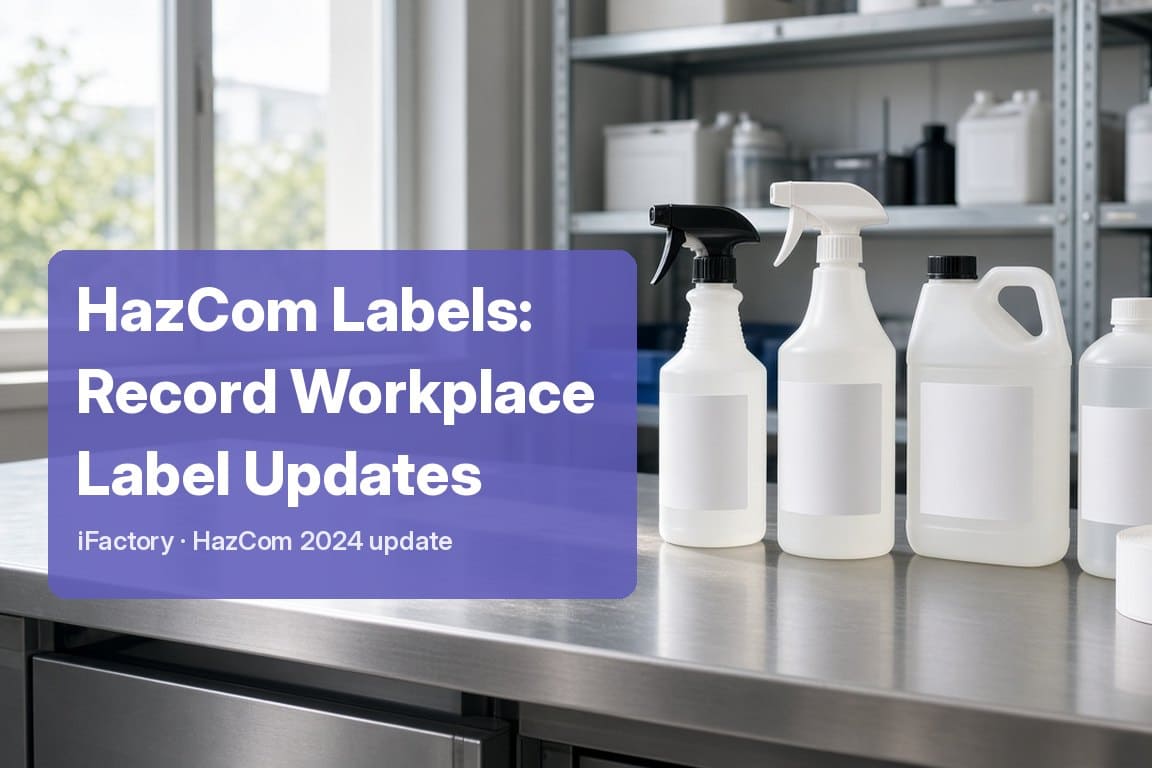
HazCom labels on the containers your own people fill are the second step for every chemical in HazCom 2024 update, the iFactory module for the 2024 revision of 29 CFR 1910.1200. Spray bottles, day-cans, totes and transfer jugs carry workplace labels that your plant makes, and the 2024 update asks you to bring them in line "as necessary". The module does not print anything. It keeps the record: which chemicals have updated workplace labels, on what date, and which ones are still waiting. You can record workplace label updates per chemical and see the open ones in one list.
Step 2 of 3 per chemical · paragraph (f)(6)
A dated label record for every chemical you relabel
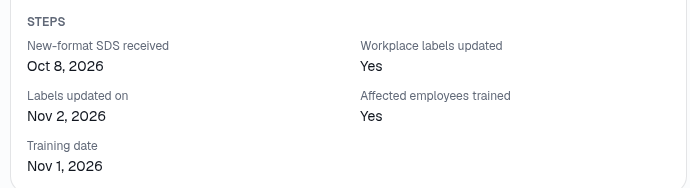
Tick Workplace labels updated, add the Labels updated on date, and the Labels column shows that date instead of "No". Every edit lands in the chemical's History.
What the label step records, field by field
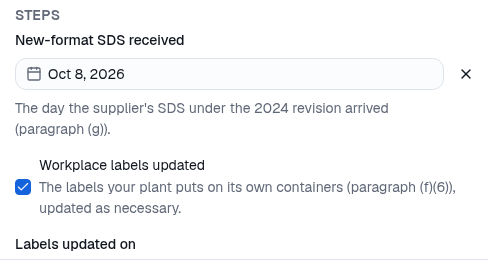
The label step is two fields on the chemical's form, under Steps. They sit between the new SDS and the training, in the same order the work usually happens on the floor.
Workplace labels updated
A yes or no box. Its help text reads: the labels your plant puts on its own containers, paragraph (f)(6), updated as necessary.
Labels updated on
The date the relabeling was finished. Only past dates can be picked, so the record shows when it happened, not a plan.
Labels column
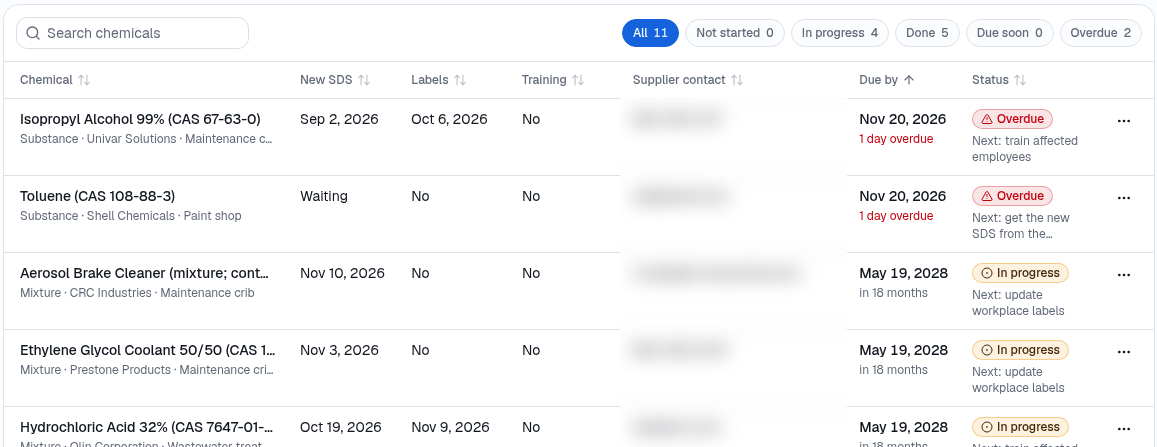
In the chemical table the column shows the date, "Yes" if the box is ticked without a date, or "No" while it is open.
Next hint
Once the new SDS is in and labels are still open, the row reads "Next: update workplace labels", so the follow-up is clear.
Why the label step comes after the new SDS
Under the 2024 revision, chemical manufacturers, importers and distributors reclassify their products and send new safety data sheets. Your own workplace labels are built from that hazard information, so the sensible order is: get the new SDS, check what changed, then relabel the containers you fill. The module follows that order in its hints. A row with no new SDS date asks for the SDS first; a row with an SDS date and no label record asks for the labels.
The rule text behind the step
Paragraph (j)(2)(ii) asks employers to, as necessary, update any alternative workplace labeling used under paragraph (f)(6), update the written program and provide training on newly identified hazards. The employer date for substances, November 20, 2026, has passed. Mixtures are due by May 19, 2028.
See which chemicals still need new labels
Load your chemical list and the Labels column shows a date or "No" for every product on it.
How to record a label update
Open the chemical
From the table, open the row or use the row menu and choose Update progress. The same form opens either way.
Tick Workplace labels updated
Use it once the containers your plant fills for that product carry the updated label.
Pick the Labels updated on date
Choose the day the relabeling was finished. Future dates are greyed out in the picker.
Save changes
The Labels column shows the date, the next hint moves on to training, and History records who changed it and when.
Bring dates in from a sheet
If you already logged relabeling in a spreadsheet, import it. Headers such as "Relabeled", "Container labels updated" or "Label date" are matched to these fields. See the chemical inventory import for how columns are matched.
Where label status shows in the portal
Labels sit next to New SDS and Training in the chemical table, so you can read across a row and see how far each product has moved. Filter by In progress to see products that have some steps done, or Overdue to see open substances.
Per-row label date
A date reads as done; "No" reads as open. Sort or filter the table to group the open ones.
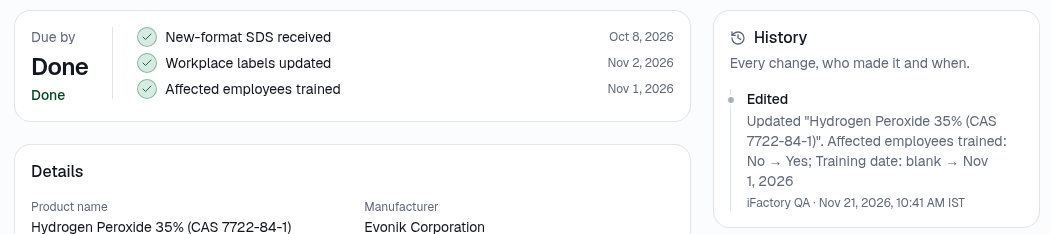
Done needs all three
A chemical turns Done only when its new SDS, labels and training are all recorded.
Change history
Every edit to the label fields is stored with the person and the time.
What the label step does not do
It is a record of the update, not the label work itself.
No label design or printing
Labels are made in whatever system you use today. The module stores that the update happened and when.
No floor walk-through
To check spray bottles, totes and day-cans container by container, iFactory has a separate Container label audits module in OSHA Safety Records.
No "not needed" choice
If your review finds a label needs no change, write that decision in Notes. The step stays open until a date is recorded.
Frequently asked questions
Which HazCom labels does this step cover?
The workplace labels your plant puts on its own containers, which the help text ties to paragraph (f)(6). Shipped containers are labeled by the supplier.
Can I tick the box without a date?
Yes. The Labels column then reads "Yes". Adding the Labels updated on date gives a fuller record and shows on the status PDF.
Can I enter a planned relabel date?
No. Dates are past-only. Put the plan in Notes and record the date once the work is done.
Do label dates appear in the export?
Yes. The status PDF report and the CSV both carry the Labels date for every chemical.
When does a chemical count as Done?
When the new SDS, the labels and the training are all recorded. Until then it is In progress, Due soon or Overdue, depending on its Due by date.
Keep one dated record of every relabel
Record when each chemical's workplace labels were updated, see the ones still open, and export the list for the EHS file.
- Labels updated yes or no, plus the date
- Next hint once the new SDS is in
- History of every change, with who and when
14-day free trial · no card needed