Compressed air is the utility everyone notices only when it fails, and a compressor tends to give warning first: a temperature creeping up, an oil level dropping, a filter indicator turning red. The ready Air compressor weekly check in iFactory Inspection puts those warnings into 14 items with limits. This page lists what it covers, the four limits that matter most, how it differs from the AI-drafted checklist we made for a screw compressor, and what it cannot do. Add the compressor check in your own workspace once your company is set up.
Inspection · Air compressor
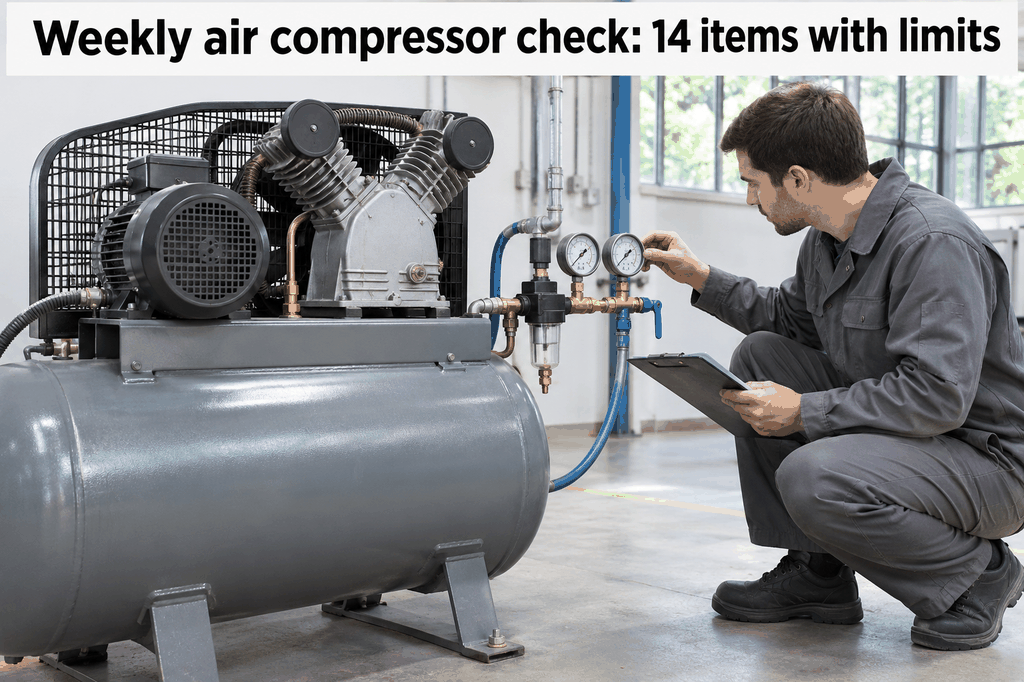
Weekly air compressor check: 14 items with limits
The round starts with receiver safety, then moves through belts, oil, temperature, pressure, the inlet filter, the drain and the dryer. A technician can do the whole walk-round in about 15 minutes.
Four limits worth knowing
These four figures carry the most weight on the round, because each one catches a different way a compressor can go wrong before it trips.
Usual high-temperature trip is 110 °C. Limits are written in °C and bar in the ready library and shown in your organisation's units in the app. Check every limit against the OEM manual.
Catch the warning before the trip
When an item fails, the work order carries the limit, the technician's note and the how-to-check text, so maintenance knows exactly what the reading was compared with.
Ready check and AI draft, side by side
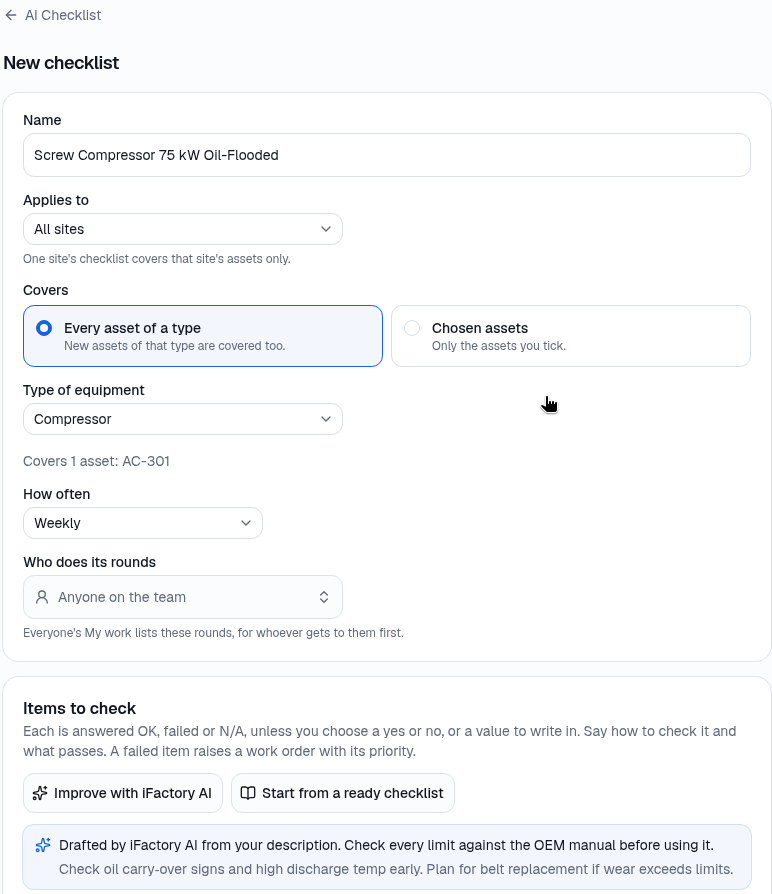
Both options live in the app and neither replaces the other. The ready check is general, while an AI draft is built from a description of your own machine and its faults.
Ready weekly check
14, for a technician
A rotary screw air compressor
No
AI draft (75 kW oil-flooded)
15, drafted in seconds in our test
A description of the machine and its faults
Check every limit and save
This AI draft came from our own QA walkthrough on 26 Nov 2026 and is shown to illustrate the difference. The AI checklist generator page shows the full draft.
What each part of the check looks at
The 14 items fall into four groups, so the technician moves around the machine once instead of going back and forth between the receiver, the drive and the air treatment.
What the compressor check cannot do
The checklist is a weekly walk-round with limits. It is not condition monitoring and it does not read the compressor's sensors for you.
No readings stored
Temperature and pressure are compared with the limit by the technician and answered OK, Failed or N/A. The app does not save the reading as a number.
Not every machine
The ready check is written for a rotary screw compressor. Oil-free, piston and other types may need items edited before the checklist fits the machine.
Your OEM limits
The limits are general figures. Compare each one with your compressor's manual before the first round and edit the items that differ.
What the weekly round looks at
The 14 items cover the compressor as a system, not just the air end. The Safety group opens with the receiver safety valve, where the seal wire should be intact with no hissing, then the receiver for dents, rust patches or weeping welds, and the panels and guards. The Mechanical items cover drive belts, noise and vibration and leaks along air lines and fittings.
The Lubrication items read the oil level in the sight glass with the unit loaded and the cooler face for fin clearance. The Instruments group reads discharge temperature, discharge pressure, the inlet filter indicator, the condensate drain and the dryer dew point, and the last item is writing the running hours into the log.
Limits you will meet
Discharge temperature passes below 100 °C, and the usual trip is at 110 °C, so the item catches a rise before the compressor trips. Discharge pressure should be within 0.2 bar of the set point on load. The inlet filter indicator should be green; red, or more than 0.05 bar drop, means change the element. A refrigerated dryer should show +3 °C or below.
Drive belts are checked with the unit locked out and the air vented, with 10 to 15 mm deflection at mid-span by thumb and no cracks or glazing. The item is flagged for lockout. Vibration is checked with a pen and should be below 4.5 mm/s.
Keeping the list useful
The weekly compressor check works best when the technician treats the instruments as a group: discharge temperature, inlet filter indicator and dryer dew point are all read from displays in a minute or two, and any one of them failing says something about the whole system.
Take the inlet filter indicator seriously: green passes, and red or a drop above 0.05 bar means change the element. A choked inlet filter makes the machine work harder and run hotter.
Frequently asked questions
What is on the ready air compressor checklist?
It has 14 items for a technician doing a weekly round of a rotary screw compressor in iFactory Inspection. It starts with the receiver safety valve, which is Urgent, and covers belts, oil, discharge temperature, pressure, the inlet filter, the condensate drain and the refrigerated dryer, plus a log of running hours.
How often is the compressor check done and how long does it take?
Weekly, and the round takes about 15 minutes for a technician. The frequency is set when you save a checklist, so a busy compressor room could use a shorter, more frequent list. The ready check is a good starting point because every item already has a limit and a how-to-check line.
What temperature and pressure limits does it use?
The discharge temperature passes below 100 °C, vibration below 4.5 mm/s, pressure within 0.2 bar of the set point, and the refrigerated dryer dew point at +3 °C or below. They are general figures for the ready checklist, so check each against the maker's manual and edit the item if your machine differs.
Can iFactory AI draft a compressor checklist instead?
Yes. The AI checklist generator drafts a checklist from a description of the machine and its faults. In our test it drafted 15 items for a 75 kW oil-flooded compressor in seconds. A person must check every limit and save it, so the draft is a starting point for your own machine, not a finished checklist.
What happens when a compressor item fails?
The technician marks the item Failed and writes a note, and can add a photo. A work order is raised with the limit and the how-to-check text, due by the item's priority: Urgent in 4 hours, High in 24 hours, Medium in 72 hours or Low in 14 days. The finding is tracked in the Findings tab.
Does the compressor check store my readings?
No. Temperature and pressure are judged against the limit and answered OK, Failed or N/A, so the app does not keep the figure. Write the reading in the note on a failed item, because that is where it is kept. If you want a trend of the numbers, keep your own record alongside the checklist.
Put the weekly compressor check on every compressor
Pick the check, apply it to every compressor and let the rounds appear weekly.
- 14 items with limits
- Safety valve check is Urgent
- Work order on every failure
14-day free trial · no card needed