
Wet compressed air does not announce itself. It shows up later as water in a tool, a sticking valve or a rusty pipe, long after the dryer stopped doing its job. The quickest way to catch it is to read the dryer display. In iFactory Inspection that reading is one item in the ready Air compressor weekly check, written for a refrigerant dryer. This page covers the limit, what to do for a desiccant dryer and the items on the same round that explain a bad reading. Add the compressor check in your workspace once your company is set up.
Inspection · Dryer dew point
Refrigerated dryer dew point check: +3 °C or below
The technician reads the dew point on the dryer display and also looks for any alarm or fault light, because a dryer can alarm before the figure moves.

Pass and fail
The technician reads the dew point figure and checks that the display shows no alarm, which together tell whether the dryer is doing its job.
Pass
+3 °C or below
None showing
Refrigerant
Fail
Marked Failed
Raised, due in 72 hours
Of the display
From the display back to the cause
A wet-air problem has a few usual sources, and most of them can be seen on the same weekly round as the dryer reading.
Where wet air comes from
These items on the same weekly round help to trace where the water is coming from, so the problem can be fixed in one visit.
A desiccant dryer is different
The ready item is written for a refrigerant dryer. The figure on it does not suit every type of dryer.
Different figure
Desiccant dryers run to another dew point
If you have a desiccant dryer, use the maker's value for its dew point, which is much lower than a refrigerant dryer can reach.
Change the limit
Edit the item in your own copy of the checklist, so that the limit and the wording match the dryer you really have.
These points are worth settling before the first round, because the app only asks the question and keeps the record.
Check the manual
Compare with the OEM figure
Every limit on the checklist is a general figure, so each one should be compared with the maker's manual.
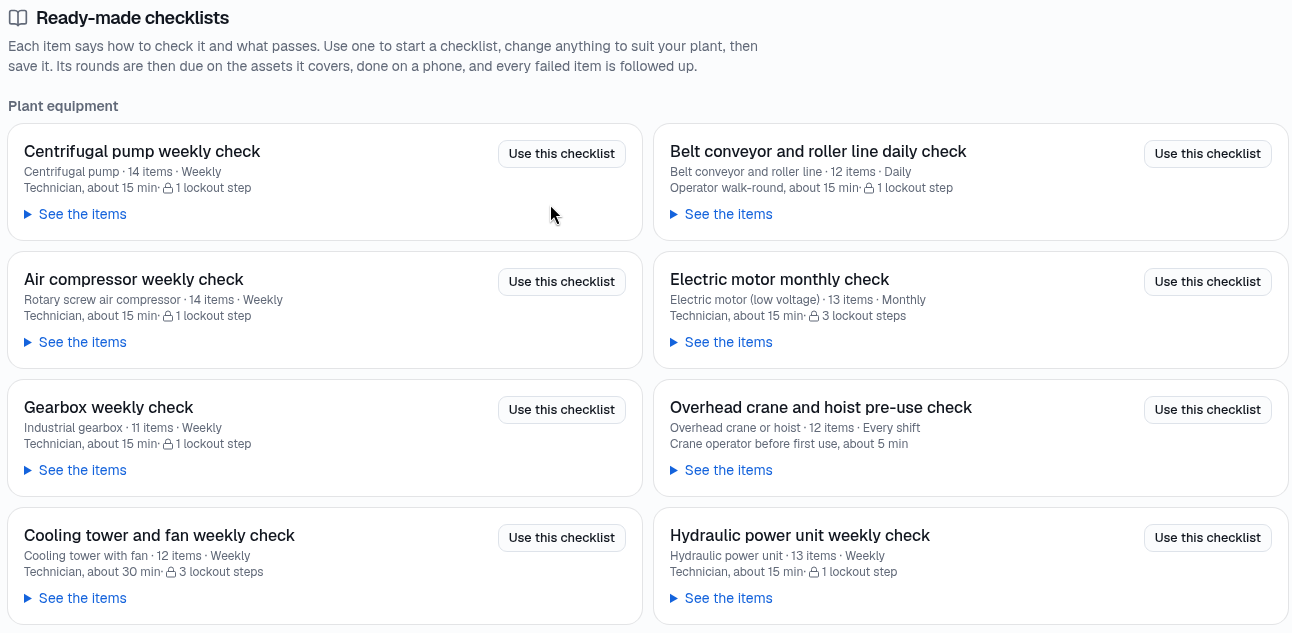
The compressor check in the library
The ready Air compressor weekly check is in the library with the other plant equipment checks, and the dryer item is one of its 14 items.
Limits of the check
The item is a weekly look at the dryer display, with a limit written into the how-to-check line.
A reading, not a test
The app records the answer to the check. It does not record the dew point as a number, because the item is OK, Failed or N/A.
Refrigerant dryers
The +3 °C figure is for refrigerant dryers, and it should not be applied to other types without checking.
OEM manual first
The +3 °C limit is a general figure. Check it against the dryer maker's manual before the first round.
Reading the dryer display
The dryer item is the last of the Instruments items on the weekly compressor check. The technician reads the dew point on the dryer display and compares it with the limit: +3 °C or below on a refrigerant dryer, with no alarm showing. If the display reads higher, or an alarm is lit, the item fails.
Take the reading while the compressor is running and the dryer has had time to settle, not in the first minute after a start. A single reading that is a degree or two off is less useful than the same reading every week.
What a high dew point means downstream
Dew point is the temperature at which water vapour in the compressed air starts to condense. A refrigerated dryer cools the air to just above freezing so the water drops out before it reaches your tools. If the dew point rises, wet air is getting through, and the water can show up as corrosion in air lines, sticking valves and water at the points of use.
That is why the item sits alongside the condensate drain check on the same round. The drain test, pressing the button and seeing water and air blow out and then the drain close, shows whether the water that does drop out is being removed.
Writing a useful failure note
When the item fails, write the displayed value, any alarm and whether the condensate drain worked. That tells the person picking up the work order whether to look at the refrigeration circuit, a blocked condenser or a drain that has stopped.
The item is Medium priority, so the work order is due in 72 hours. The app does not store the dew point as a number, so a trend has to come from the notes or from your own log.
Where the dryer sits in the system
The dryer is downstream of the compressor and the aftercooler and upstream of the receiver or the air lines. That position matters, because everything after it relies on the air being dried. A failing dryer affects the whole distribution system, not just the compressor.
The compressor round includes the air lines and fittings check, which uses listening and soapy water to find leaks. That is a different issue, but a leaking line and a high dew point together can mean a lot of lost, wet air.
Keep the dryer display readable and clear of dust so the weekly reading is quick.
Frequently asked questions
What is the dryer dew point check?
It is a Medium priority item in the ready Air compressor weekly check in iFactory Inspection, written for a refrigerant dryer. The technician reads the dew point on the dryer display, checks that no alarm is showing, and compares the reading with the limit. The result is answered OK, Failed or N/A, with a note on a failure.
What dew point passes the check?
A dew point of +3 °C or below passes on a refrigerant dryer. Anything above that fails the item, because the air is not being dried enough and water can reach tools and valves. The limit is a general figure for refrigerant dryers, so check it against your dryer maker's manual before the first round.
Where is the dew point read?
On the dryer display, with the dryer running. The technician reads the figure and also looks for any alarm. The app does not store the dew point as a number, so a trend has to come from the notes or from your own log. Keep the display readable and clear of dust so the weekly reading is quick.
Does the check cover desiccant dryers?
Not as written. The ready item is for a refrigerant dryer, and the +3 °C figure belongs to those. A desiccant dryer reaches a much lower dew point, so use the maker's value and edit the item in your copy of the checklist. The app does not decide the limit for you, and the draft or ready item is only a starting point.
How fast is a failed dew point item due?
The item is Medium priority, so a failure raises a work order due in 72 hours. The technician should write the reading in the note. If wet air is already reaching tools, valves or pipework, tell the supervisor straight away instead of waiting for the work order, because water damage can spread quickly.
What else is checked on the round if the air is wet?
The condensate drain, the oil cooler and aftercooler, the inlet filter and the discharge temperature are all on the same weekly round, so a wet-air problem can often be traced in one visit. A drain that does not open, or a cooler that is blocked, are common reasons why water gets past the dryer.
Check the dew point weekly
Add the compressor check and keep the dryer reading on record.
- Display reading in one item
- Photo with the failure
- Work order due in 72 hours
14-day free trial · no card needed