Most AI checklist generators write a to-do list. Equipment rounds need more than that: each item has to say how to check it and what passes, or two people will judge the same machine differently. The AI checklist generator in iFactory Inspection is built for that one job. You describe a machine and what goes wrong with it, iFactory AI drafts the inspection checklist, and a person reviews it before anything is saved. This page shows what you enter, what the draft follows, a real draft from our QA account, and where the generator stops. You can draft your first checklist in the app once your company is set up.
Inspection · AI Checklist
Describe the machine, get a checklist with limits to review
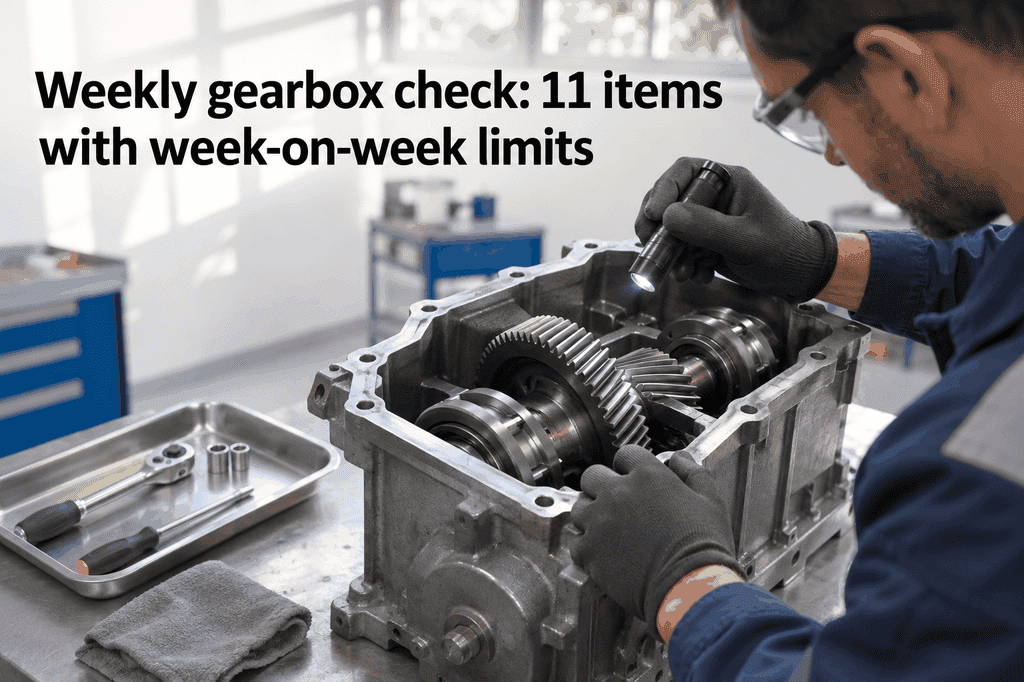
Items come grouped by section, with a how-to-check line and a pass condition on each. Nothing is saved until you save it, so the draft can be read, changed or thrown away.

What you enter, and what the draft does with it
The Draft with iFactory AI panel sits inside the new checklist form. These are its fields, in the order you fill them in, and each one changes what the draft looks like.
The equipment
What it is, its size and duty, where it runs.
This sets the subject of every item in the draft, and it gives the checklist its name.
What's going wrong
Faults you see or worry about.
The items are aimed at catching those faults early, so the more specifically you describe them, the more specific the checks.
OEM manual notes
Optional: limits or a standard to follow, typed or pasted.
This gives the draft your own figures to work from, so the pass limits come from your standard and not from general values.
Who does it
Operator walk-round or Technician PM.
This pitches the checks at the person who will do the round, so an operator gets looks and listens and a technician gets measurements.
Time it may take
5, 15 or 30 minutes.
The length changes the size of the draft: about 6 to 10 items for 5 minutes, 10 to 16 for 15 minutes, and 15 to 25 for longer rounds.
Use our breakdown history
Tick to include it.
This adds the last 90 days of work orders on those assets to what iFactory AI sees, so repeated causes get an item of their own.
The matching ready checklist, where there is one, is also given to iFactory AI as a reference.
Start from a draft instead of a blank page
Write two lines about a machine and you can edit a full checklist instead of typing one from scratch. Most of the work moves from writing to reviewing.
A real draft: 75 kW screw compressor
In our QA account on 26 Nov 2026 we asked for a weekly check on an oil-flooded 75 kW screw compressor that runs two shifts. The panel showed it writing at 6 seconds, and the app reported: iFactory AI wrote 15 items. Check them, then save.
Prompt in
Screw compressor 75 kW, oil-flooded, runs 2 shifts, Compressor room
Oil carry-over, high discharge temperature trips, belt/coupling wear, drain valve sticking, intake filter clogging
Technician PM
15 min
Ticked
Draft out
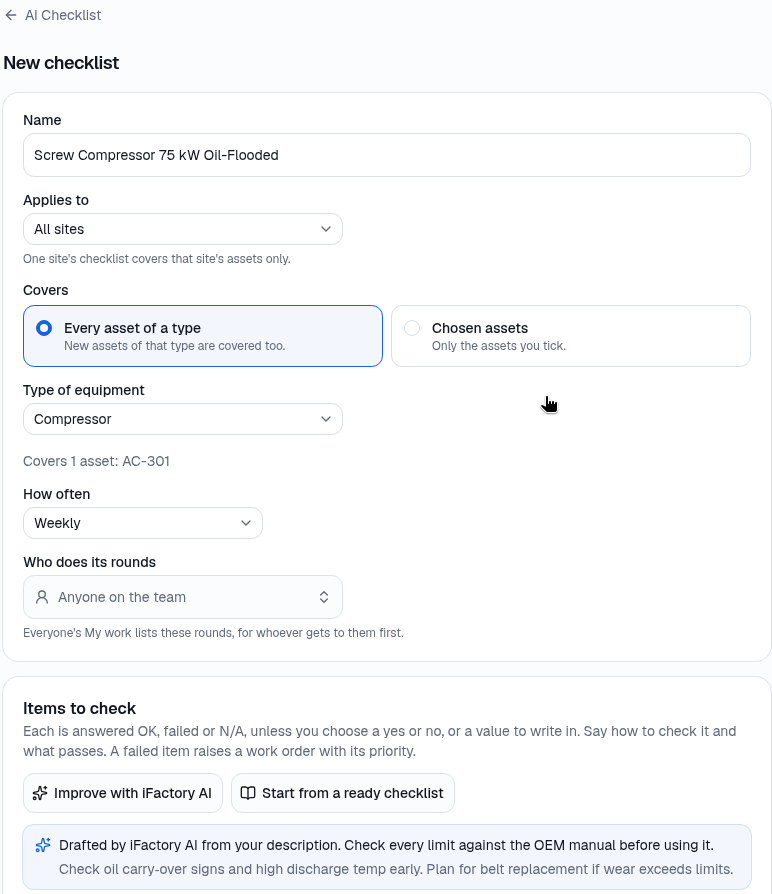
The drafted checklist before saving. Test data entered by iFactory in a QA account, not customer data.
Laid out for the round
Safety items come first, and lockout steps come first within each section, so the draft never asks a technician to open a guard before isolating the machine.
A limit on every item
Each how-to-check line states what passes, so a failure is clear to whoever is holding the phone and two people reach the same answer.
Kept within bounds
A valid draft has 6 to 30 items. Each item still carries a priority, which sets the due time of a work order if it fails.
From description to the first round
Set what it covers
Name the checklist, pick every asset of a type or chosen assets, and set how often it is done and who does its rounds.
Describe and draft
Fill in the panel and press Draft with iFactory AI. Improve with iFactory AI refines a draft you already have.
Check every limit
Read each item against the maker's manual and your own experience. Edit, delete or add items, because it is your checklist and you are the one who decides what is on it.
Save, then run it
Once saved, its rounds are due on the assets it covers. A round never done is due now.

When to use a ready checklist instead
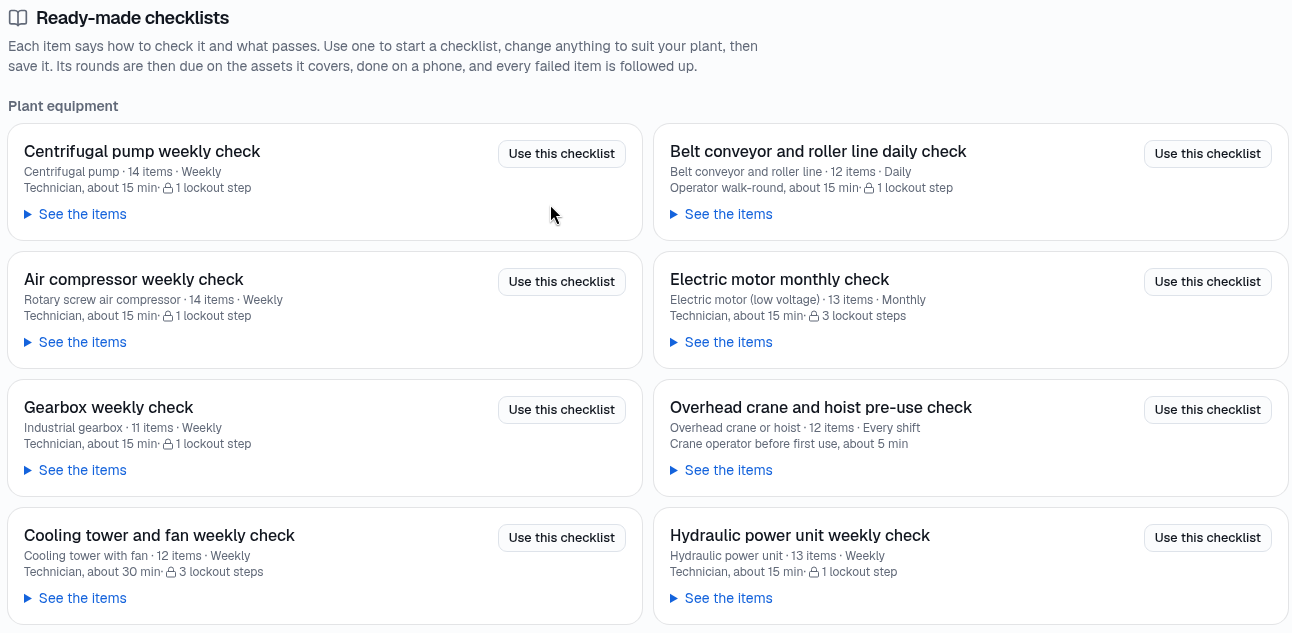
The AI Checklist tab also holds ready-made checklists written for common plant equipment, among them a centrifugal pump weekly check, a belt conveyor daily check, an electric motor monthly check and an overhead crane pre-use check. Each item already says how to check it and what passes. They work without iFactory AI, so they are the place to start when it is busy or when your machine is on the list.
After the first rounds
Once rounds and work orders build up, iFactory AI can suggest changes to a checklist with the records behind each. A person applies or dismisses every one; nothing changes by itself.
Where the generator stops
The generator drafts a checklist. It does not decide what is safe for your machine, and it should not be treated as an authority on your equipment.
It does not know your limits
Unless you give them, limits are general. The draft itself tells you to check every limit against the OEM manual.
Nothing saves on its own
A draft is only a draft until a person saves it, and the message after drafting offers Undo, so a draft you do not like can be dropped in one tap.
Not for to-do lists
It writes inspection checklists for equipment rounds, not meeting, cleaning or personal lists.
Frequently asked questions
How long does an AI checklist draft take?
In our test it drafted 15 items for a 75 kW oil-flooded screw compressor in seconds. Reading and editing is the longer part, because a person has to check every item and limit against the maker's manual before saving. The length of the round you choose, 5, 15 or 30 minutes, changes how many items the draft has.
Can I use the AI checklist generator during the free trial?
The 14-day free trial of iFactory Inspection includes the app, and the AI checklist generator is part of the product. Check your plan for any limits on AI use. The app limits AI wording to 12 calls a day, so a busy account may need to spread its drafts out. Nothing is saved until you save it.
Does it read our past breakdowns?
Only if you tick Use our breakdown history. Then iFactory AI is given the last 90 days of your work orders on the assets you picked, with counts of repeated causes, so those faults get an item of their own. If the box is left off, or there are no work orders, the draft is written from your description and the ready checklist.
Can I edit an AI-drafted checklist later?
Yes. A saved checklist is like any other. You can edit, delete or add items, change priorities and limits, or use Improve with iFactory AI to refine it. Past rounds keep the version they used. Once rounds and work orders build up, iFactory AI can also suggest changes with the records behind each one.
What happens when an item fails on a round?
The person doing the round marks it Failed, writes a note and can add a photo. A work order is raised with the limit and how-to-check text, due by the item's priority: Urgent in 4 hours, High in 24 hours, Medium in 72 hours or Low in 14 days. The finding is tracked in the Findings tab.
Can it write any kind of checklist?
No. It writes inspection checklists for equipment rounds, not meeting agendas, cleaning lists or personal to-do lists. It is built for one job: describing a machine and what goes wrong with it and getting a checklist where each item says how to check it and what passes. Other lists are better written by hand.
Draft your first equipment checklist with AI
Describe one machine, review the items and limits, and its rounds are due as soon as you save.
- How to check and what passes on every item
- Uses your last 90 days of work orders
- Nothing saved until you approve it
14-day free trial · no card needed