The upper limit switch is the last thing between a hoist and the drum. If it does not work, the operator finds out when the block hits something. That is why iFactory Inspection makes the limit switch test an Urgent item in the ready Overhead crane and hoist pre-use check, done by the operator before first use each shift. This page explains how the test is done, what passes and fails, how fast a failure is due, how it fits into the rest of the pre-use round, and what the app does and does not claim. Add the crane check in your workspace once your company is set up.
Inspection · Crane limit switch
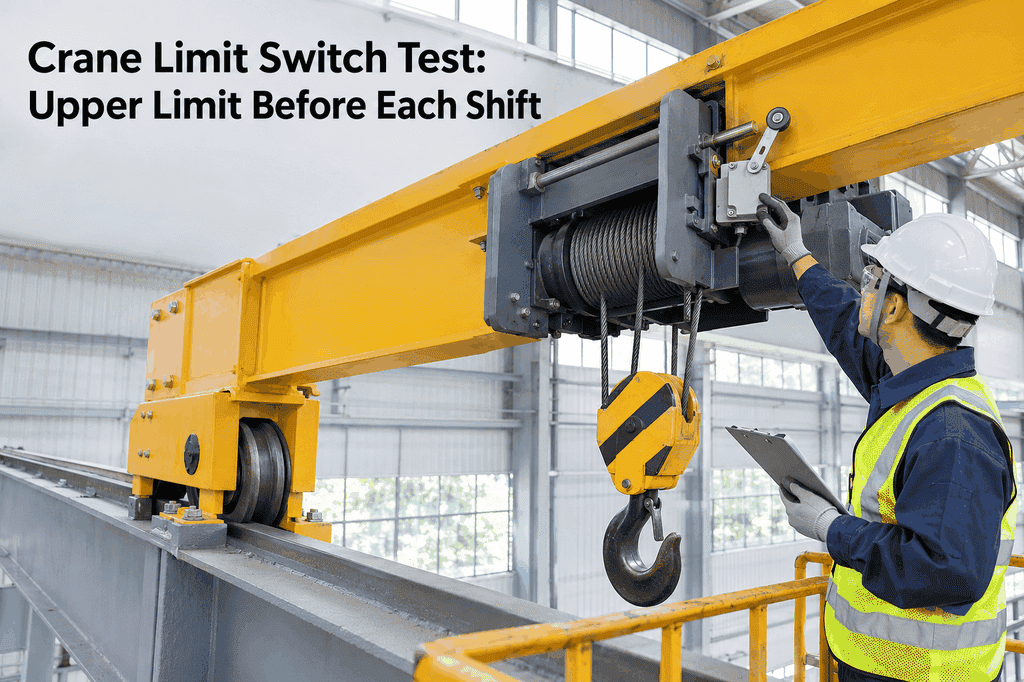
Crane Limit Switch Test: Upper Limit Before Each Shift
Raise the empty hook slowly to the top.
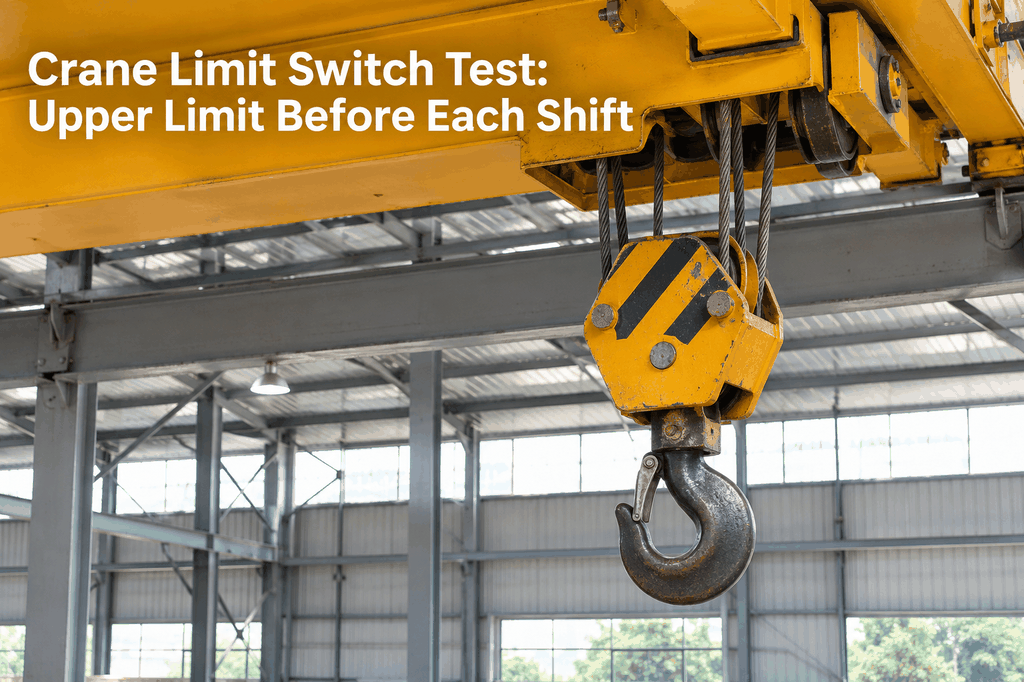
How the test is done
The limit switch test is a single written item with its own how-to-check line and pass condition, so every operator performs it the same way. It takes under a minute and needs no tools, only the pendant and a clear view of the hook block.
Empty hook
Make sure nothing is hanging on the hook before you start. Testing with a load would risk the very damage the switch exists to prevent, and it would not tell you anything the empty test does not.
Raise it slowly
Use the control to raise the hook slowly towards the top of its travel, keeping your hand on the button so you can release it at once. Slow movement gives the switch and your eyes time to act before the block gets close.
Watch the stop
A pass is a hoist that stops by itself before the hook block touches the drum or the frame. If it keeps rising, release the control immediately and treat the crane as out of service until it is repaired.
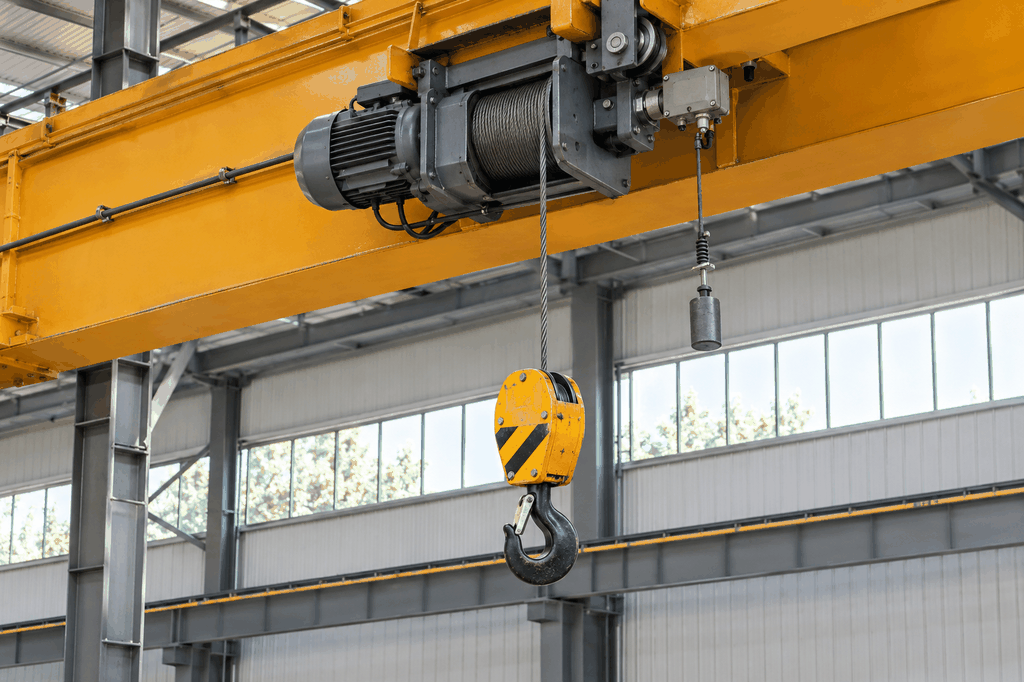
Slow, empty and to the top
This one check is Urgent in the ready checklist: the limit switch is the last protection before the block meets the drum. A failure raises a work order due in four hours, so it is dealt with before the crane lifts again.
Pass and fail
The item asks a single question, and the answer decides whether the crane is used. Either the hoist stopped before the block touched anything, or it did not, and the two outcomes lead to very different next steps.
Pass
The hoist stops on its own before the block touches the drum or frame, and the item is marked OK. The crane carries on through the rest of the pre-use round.
Fail
The item is marked Failed with a note, and a work order is raised at Urgent priority, due in four hours, carrying the how-to-check text and the pass condition.
The app records the failure but cannot lock the crane out, so your own site rules decide how a failed crane is tagged and kept out of use until maintenance signs it off.
The same pre-use round
The limit switch is one item in a short round the operator completes before first use each shift. The items around it cover the controls, the brake and the lifting gear, so the whole crane is looked at in about five minutes.
- Pendant and E-stopPress each pendant or radio button and check that every motion goes the right way and the buttons spring back, then press the E-stop and confirm it stops everything. This runs first because the same controls drive the limit switch test.Urgent.
- Hoist brakeLift a light load about 100 mm and stop. A pass is a load that holds with no drift and no slip when the hoist stops, which shows the brake is gripping as it should.Urgent.
- Hook, wire rope, load chainLook at the hook for a latch that closes by itself, cracks, twist or a throat opened past its mark, and run out the wire rope or load chain to check for kinks, broken wires, stretched or nicked links.Urgent items.
- Bottom block and sheavesCheck that the sheaves turn freely with no cracks, the guards are on and the rope has not jumped out of a groove. This item is High priority, so a failure is due in 24 hours.High item.
The crane round on the overview
The overview lists the rounds due today and shows overdue rounds first, so the crane check appears for the operator or supervisor without anyone building a list. A crane check that is not done before first use shows up as outstanding rather than being forgotten.
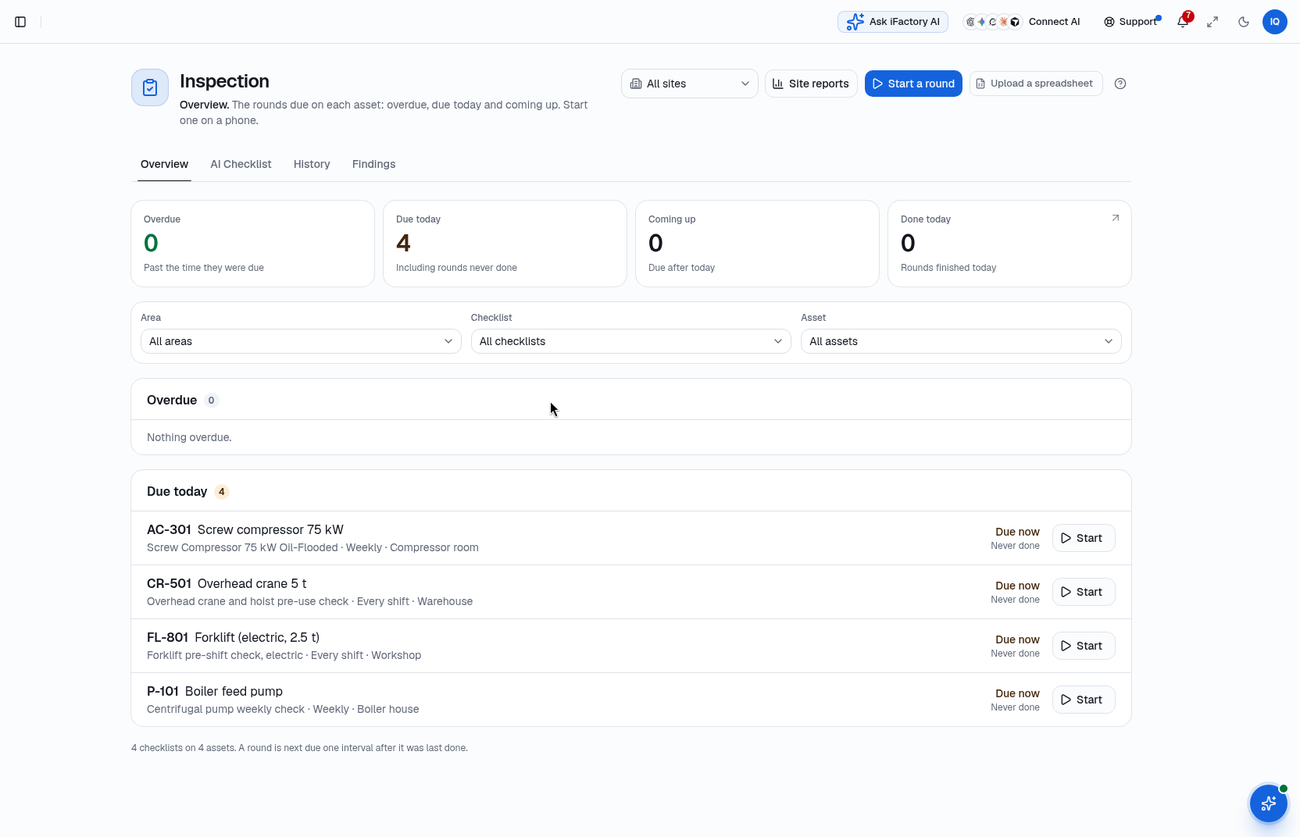
What the app does not claim
The app is a record of daily checks. It helps you show that the test was done and what happened when it failed, and it is honest about what it cannot do.
Not certification
Thorough examinations by a competent person are separate and follow the lifting rules where you work. The pre-use record sits alongside them and does not replace them.
Does not stop the crane
A failed item raises a work order and a note, but nothing in the app disables the crane. Keeping a failed crane out of use is a physical and procedural step on your site.
Your own rules
Write down who is told, how the crane is tagged and who clears it for use again. The checklist then feeds a process you already control instead of replacing it.
Running the test
The upper limit switch test is on the overhead crane pre-use check. With the hook empty, raise it slowly towards the top of travel. The hoist should stop on its own before the hook block touches the drum or the frame. If it does not stop, release the control and treat the crane as out of service.
Raise slowly and keep your hand on the control. The test is meant to find out whether the switch works before a load depends on it, not to see how far the hoist will go.
Why it is Urgent
If the limit switch fails and a hoist is run to its end, the hook block can be driven into the drum, which can break the rope. The pre-use check marks this item Urgent, so a failure raises a work order due in four hours and should be dealt with before the crane is used again.
Mark the crane out of service according to your site's rules; the app records the failure and the work order but does not lock the crane.
The rest of the pre-use check
The limit switch is one of the items that deal with function. Others cover the pendant and emergency stop, the hook latch, the wire rope, the hoist brake and the travel end stops. The whole check takes about five minutes before first use.
A crane that passes every item is recorded as passed for the day. One that fails any item has the work order to show what needs doing.
Records and thorough examinations
Pre-use checks are a different thing from thorough examinations by a competent person. The record from rounds shows daily use checks happened, but it does not replace the examination required by lifting regulations where you work.
Photos can be added to a failure, for example the hook block close to the drum, to show the maintenance team what the operator saw.
Before the first lift of the shift
The check is meant for the crane operator before first use, and the whole list takes about five minutes. The limit switch test sits among the Safety items, next to the pendant and E-stop check and the warning horn and lights check.
Do the tests with no load on the hook. The pendant test is done first because the same buttons control the hoist during the limit test, and an emergency stop that does not work should be found before you start raising anything.
If a crane fails the limit switch test, put the failure in the app, tell the supervisor and leave the crane unused until maintenance has dealt with it.
Frequently asked questions
What is the crane limit switch test?
It is an Urgent item in the ready Overhead crane and hoist pre-use check in iFactory Inspection. The operator tests the upper limit switch before first use each shift, because it is the last thing between the hoist and the drum. The item has a written how-to-check line, so everyone does it the same way.
How does the operator carry out the test?
With no load on the hook, the operator raises it slowly towards the top of travel while holding the control, ready to release it. The hoist should stop by itself before the hook block touches the drum or the frame. The test takes under a minute and needs no tools beyond the pendant.
What happens if the hoist does not stop?
The operator releases the control and treats the crane as out of service. The item is marked Failed with a note, and an Urgent work order is raised, due in four hours, carrying the pass condition. The app cannot lock the crane out, so your own site rules decide how it is tagged and kept unused.
Where does the test sit in the pre-use round?
It is one of the Safety items in the 12-item overhead crane check, which takes about five minutes before first use. The pendant and E-stop test comes first, because the same controls drive the limit test. The hoist brake, hook, wire rope or chain and bottom block items follow in the same round.
Does the app replace a thorough examination?
No. The pre-use record shows that daily operator checks were done and what was found, but a thorough examination by a competent person follows the lifting regulations where you work. The two are different jobs, and the app keeps the first one on file without claiming to certify the crane or replace the second.
Can I add a photo to a failed limit switch test?
Yes. A failed item needs a note and can carry a photo, for example the hook block close to the drum. The note and photo travel with the work order, so the maintenance team sees what the operator saw before they arrive, and the finding stays on the round record afterwards.
Test the limit switch every shift
Add the pre-use crane check and let a failure become an Urgent work order.
- Urgent limit switch item
- Work order due in 4 hours
- Done by the operator
14-day free trial · no card needed