Operator rounds only work if the walk is quick and what the operator finds reaches someone who can fix it. On paper the second part is the weak link: the sheet goes into a folder and the defect goes nowhere. The rounds app in iFactory Inspection is built around that hand-off. The operator runs the round on a phone, and every failed item becomes its own work order with the note and the limit attached. This page shows what an operator does, what maintenance then receives, and what the app does not claim to be. Set up operator rounds in your own workspace once your company is set up.
Inspection · Operator rounds
Operator rounds on a phone, with every failed item handed on
The operator sees the rounds that are due on the home screen, answers OK, Failed or N/A on each item, and a work order is raised for each failure.

What the operator does, and what maintenance receives
The hand-off is the point of the app. A round is only useful if what the operator finds actually reaches someone who can fix it.
Operator on the round
Rounds due on the home screen
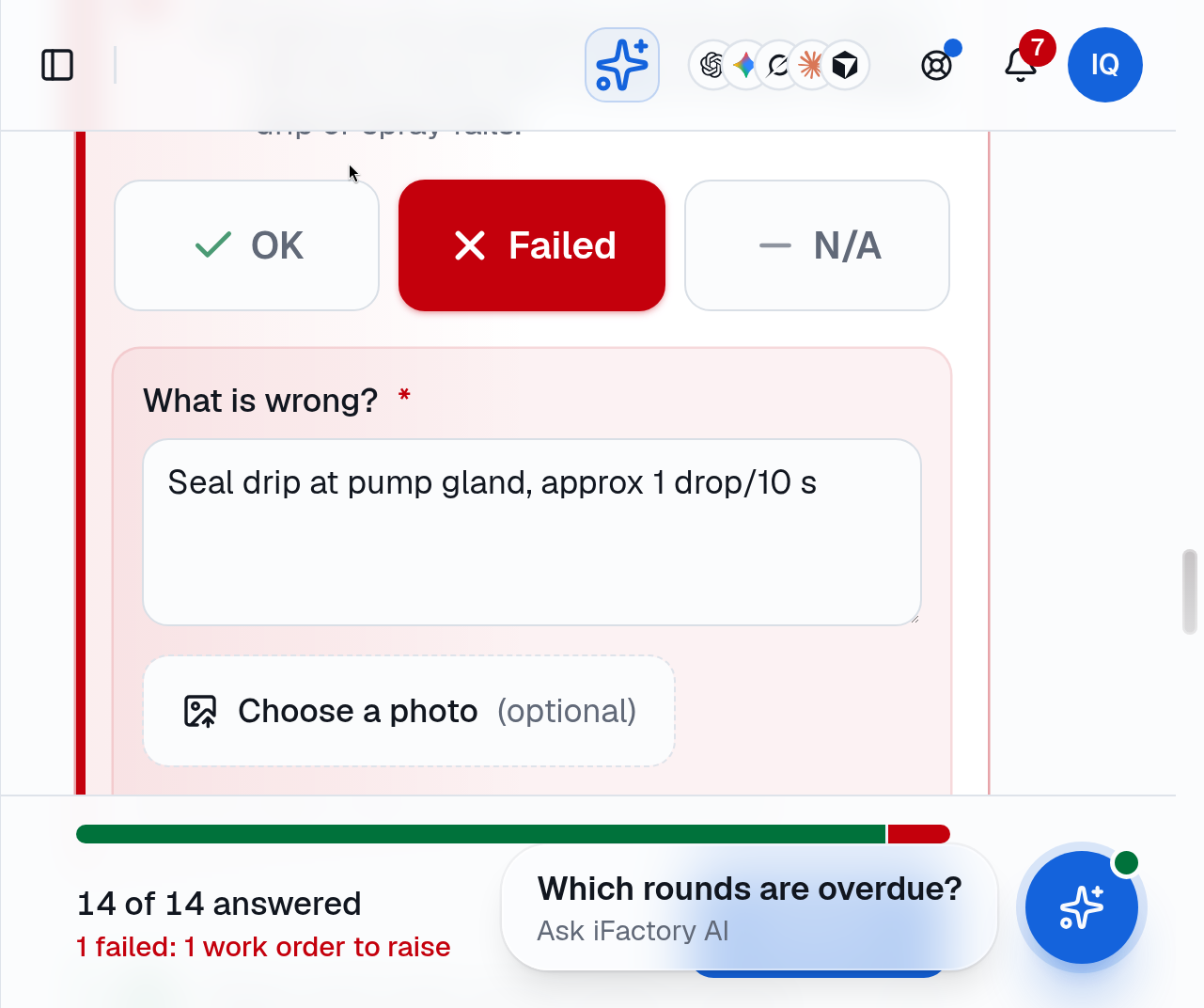
Each item is answered on the phone with one of three buttons: OK, Failed or N/A, with the check, the method and the limit shown on the screen.
A failed item asks for a note, and a photo can be added if it helps, so the person who receives the work order sees what the operator saw.
Maintenance receives
With the note, photo and pass limit
The work order is due by the item's priority, from Urgent in 4 hours to Low in 14 days, so urgent problems are not treated like tidying jobs.
The round in History for supervisors
Make the shift walk quick and the findings certain
The operator answers the questions on the phone and the app raises the work order, so nobody needs to fill in a separate maintenance request.
Built for the person walking the plant
The ready checklists show how the work splits between roles. Some are written for the operator and others for a technician.
Operator walk-round
The ready belt conveyor check is written for an operator and takes about 15 minutes, once a day.
The operator walks the line and tests one pull-cord switch a day, a different station each time, as well as checking the guards and walkways.
Operator before first use
The overhead crane check is done by the operator before first use, takes about 5 minutes and is done every shift.
It covers the hoist brake, the hook, the rope or chain and the limit switches, and six of its 12 items are Urgent.
Technician rounds
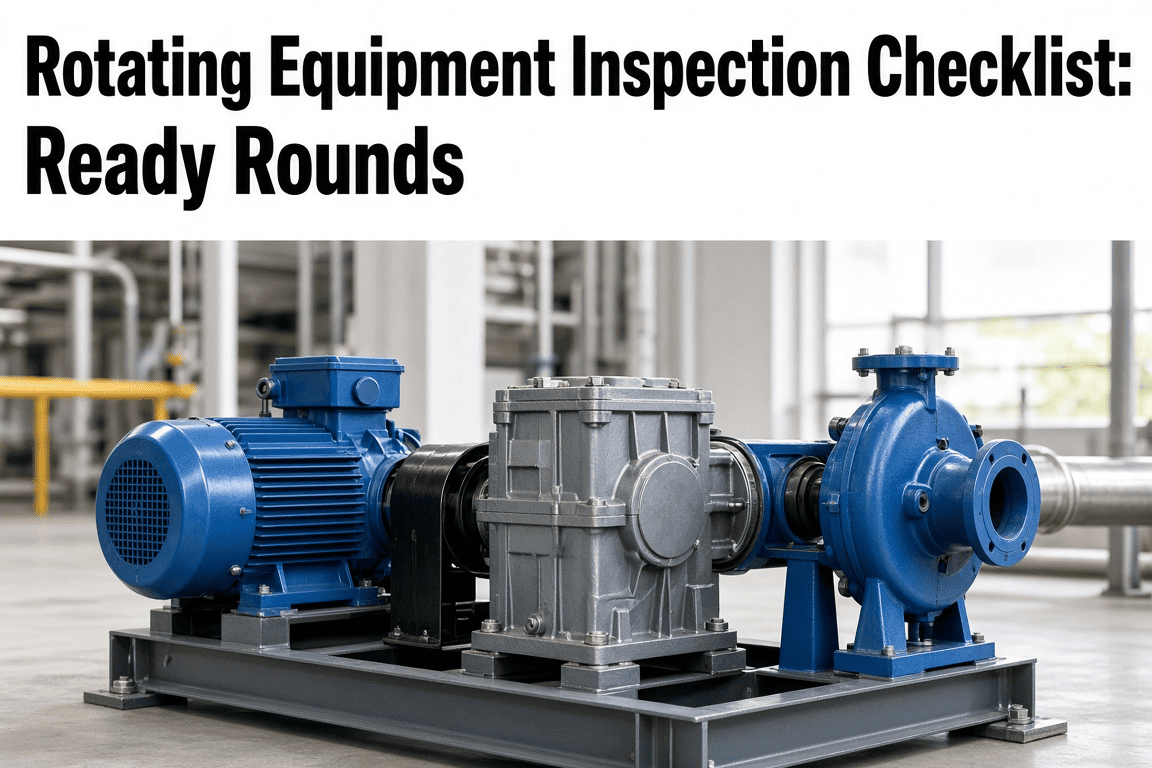
The pump, compressor, motor and gearbox checks are written for a technician, because they use an IR gun, a vibration pen or a clamp meter.
They are weekly or monthly rounds of about 15 minutes, so they fit between the operator's daily rounds.
Supervisor view
A supervisor looks at History, the open findings and the Site reports, which together show what was done and what is outstanding.
These screens show what was done and what is still open, without anyone chasing paper sheets.
The end of the operator's round
The last screen before submit counts the answers, says how many items failed and how many work orders will be raised, and keeps an Ask iFactory AI chip beside it for questions about the round.
What the operator rounds app is not
The app is built for checklist rounds on equipment, and it is honest about the things that it is not.
No number entry
Items are OK, Failed or N/A, and there is no field for a reading, so a figure goes in the note when an item fails.
No control-system link
It does not read values from a DCS or other plant system. The operator answers each question after looking at the machine.
Works with or without Maintenance
It works on its own, or with iFactory Maintenance on the same assets, where findings land on the Maintenance board as cards.
How an operator's shift looks with rounds on the phone
The operator opens the due list when they start, sees which rounds are due today and walks the plant in the order that suits them. Each asset opens a short checklist written for the person on the floor, with how to check and what passes under every item. For a conveyor, that means a daily round of about 15 minutes with a pull-cord test at one station, a check that every guard is fitted and a walk of the full length for rollers that do not turn.
Where something is wrong, the operator marks it Failed, types a note and can add a photo. They do not need to find maintenance or phone anyone to report it: the failed item raises a work order for the maintenance team on its own.
What maintenance gets back
The maintenance team sees the finding on the Findings tab with the item, the note, the priority and the due time, which for a High item is 24 hours from when it was raised. They assign it, start work, mark it Waiting if parts are needed, and mark it done.
Over time the history shows who did which round and when, and the results export to CSV. That gives a supervisor a way to see whether the daily rounds are actually being done without standing at the gate.
A few practical notes
Rounds are assigned when you save a checklist, so an operator opens the app and sees only the work for them. A supervisor sees the whole picture on the overview, with overdue first.
Because every failure needs a note and can have a photo, operators do not need to remember details until the end of the shift.
Frequently asked questions
What is an operator rounds app?
It is an app that an operator uses on a phone to walk a round of the equipment, answer each check and hand on what is found. In iFactory Inspection each item is answered OK, Failed or N/A, and every failed item becomes its own work order with the operator's note and the limit attached. It runs in the phone's browser.
What happens when an operator marks an item Failed?
The item asks for a note, and a photo can be added. After the round is submitted, the failed item raises its own work order due by its priority, from Urgent in 4 hours to Low in 14 days. Maintenance sees it in the Findings tab, with the how-to-check text and the limit, and it stays open until it is closed.
Which ready checklists are written for operators?
The Belt conveyor and roller line daily check, about 15 minutes, and the Overhead crane and hoist pre-use check, about 5 minutes every shift. The pump, compressor, motor and gearbox checks are written for a technician, with measuring tools. You can edit any ready checklist and change who is named on its rounds.
Can supervisors see what was done?
Yes. History lists every round with who did it and when, and it can be filtered by asset, checklist and date and exported to CSV. The overview shows overdue rounds first, and Site reports show open findings. That lets a supervisor see whether the daily rounds are actually being done without standing at the gate.
Do operators need a login?
Yes. The rounds are done in the app, which runs in the phone's browser, so the operator signs in and sees the work assigned to them. Rounds are assigned when a checklist is saved, so an operator opens the app and sees only their own rounds. A supervisor sees the whole picture on the overview.
What if the operator is not sure whether an item passes?
The pass limit is on the screen under the item, so the answer should be clear from the limit. If it is still in doubt, mark it Failed with a note saying why, and let maintenance judge. Ask iFactory AI on the run screen can answer questions about the round. A cautious fail costs less than a missed fault.
Give your operators a round they will finish
Rounds on the phone, findings handed on, a record for the supervisor.
- Rounds due on the home screen
- A work order for every failed item
- History and Site reports for supervisors
14-day free trial · no card needed